Post-purchase follow-up
Turn a one-time buyer into a repeat customer with a well-paced sequence that runs after every purchase.
The moment after a purchase is when your customer is most engaged. This playbook confirms the order, helps them get value from it, and then earns a review or a second sale — all on autopilot.
Build it
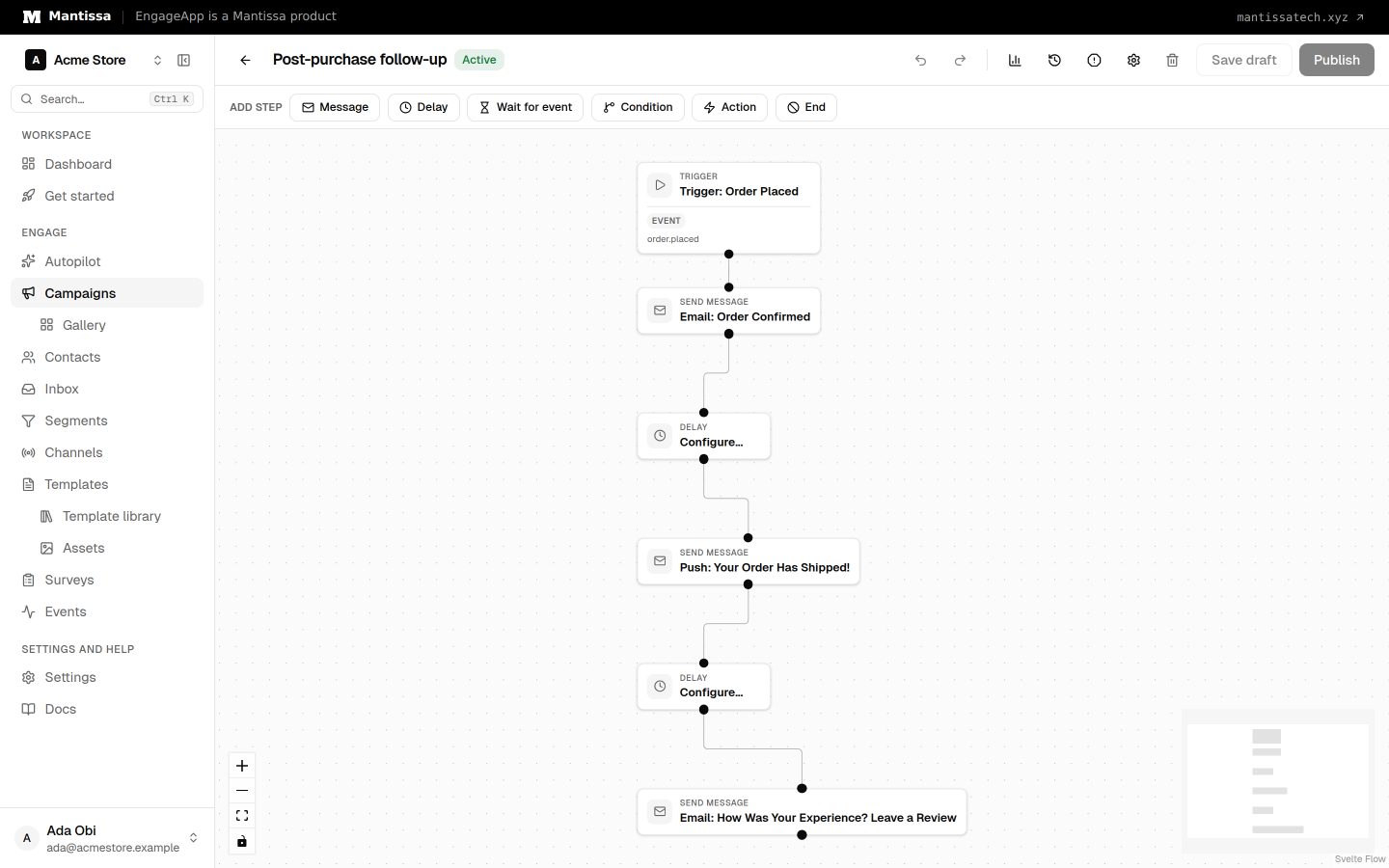
- Trigger on the purchase. Go to Campaigns → New and set the trigger to event on the
purchaseevent. Make sure your checkout emitspurchasewith order properties likeorder_id,product_name, andtotalthrough the Events API. - Send an order confirmation. As the first step in the flow builder, add a send message step that confirms the order. Use WhatsApp or Email and personalize with
{{ event.order_id }}and{{ event.product_name }}. Event properties live underevent.*. - Help them use it. Add a delay of about 3 days, then a send message step with shipping status or a how-to-use guide so the product delivers on its promise.
- Ask or cross-sell. Add another delay, then a final send message step that requests a review or recommends a complementary product based on what they bought.
Want a score instead of a free review? Replace the last step with an NPS survey and branch on the answer — see NPS and feedback.
Tips
- Pace the sequence to the product — a fast-consumed item warrants a quicker review ask than a durable one.
- WhatsApp works well for confirmations and shipping updates thanks to high open rates; keep those messages transactional and concise.
- Store order attributes on the contact so later steps can reference them without re-sending the event.
Next steps
- Send purchase data with events.
- Sequence the steps in the flow builder.
- Configure the WhatsApp channel.
Related
Events
Send behavioral events about your contacts to trigger campaigns, gate waits, and power segments.
Flow builder
The drag-and-drop canvas where you assemble a campaign from trigger, send, delay, condition, and wait-until steps.
WhatsApp channel
Send WhatsApp messages through the official Meta Cloud API: lanes, the 24-hour window, opt-in, templates and costs.