Push templates
Define the title, body, click action, and custom data for push notifications.
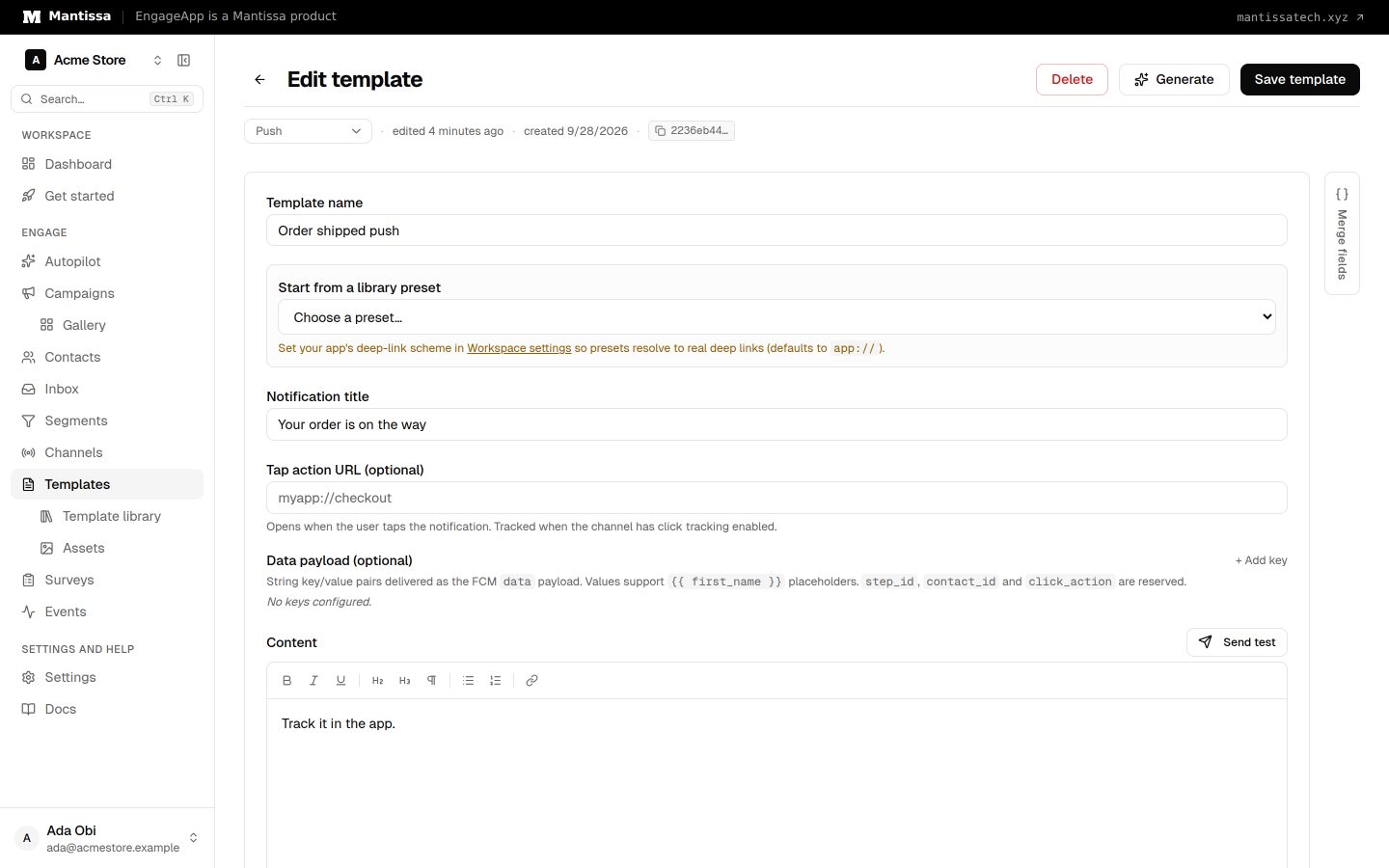
A push template defines the content of a push notification: a title and a body. Both support {{ variable }} merge fields (e.g. {{ first_name }}) that resolve per contact at send time.
Click action
Each template carries a click action — a deep link opened when the end-user taps the notification. In the editor this is the Tap action URL field. Deep links resolve through your app's App URI scheme, which you set under Settings → Developers → Push deep links. Point the click action at the screen most relevant to the message so a tap lands users exactly where you want them.
Custom data
You can attach optional custom data (the Data payload field) — a key/value payload delivered alongside the notification. Your app receives this payload and can use it to drive in-app behavior beyond simply opening a screen.
Where it is used
Push templates are sent by the Push channel, which targets a contact's registered devices. Author the template here, then reference it from a campaign's send message step.
Next steps
- See how templates work across channels in Templates.
- Configure delivery and devices with the Push channel.