Engagement Autopilot
An AI engagement brain that watches each contact’s lifecycle, spots opportunities, and proactively drafts (or ships) tailored campaigns to grow retention.
The Engagement Autopilot is an always-on layer that turns the signals you already send EngageApp — contact attributes and behavioral events — into proactive engagement. It continuously works out where each contact sits in their lifecycle, discovers meaningful micro-segments, and then generates campaigns tailored to those segments. Depending on how much autonomy you grant it, it either queues those campaigns for your approval or ships them within guardrails.
It is built on the same primitives you use by hand — segments, campaigns, AI campaign generation, and conversion tracking — so anything the autopilot proposes is an ordinary EngageApp campaign you can inspect, edit, or take over at any time.
The autopilot loop
The autopilot runs a control loop per workspace, on a schedule and in response to events:
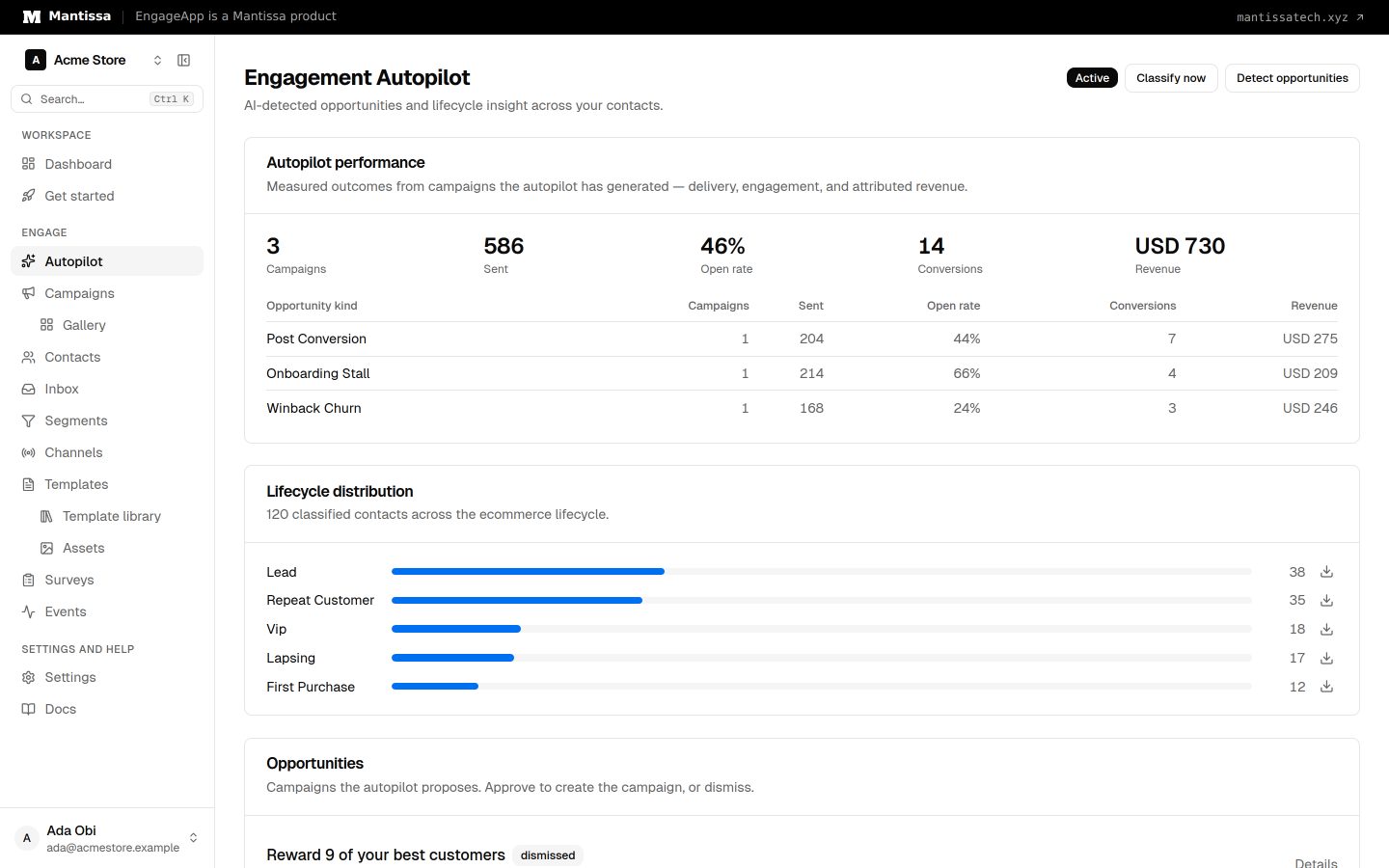
- Classify. Assign each contact a lifecycle stage from their behavior — new, engaged, at-risk, dormant, churned, and template-specific tiers like VIP or power user.
- Detect. Scan for opportunities — micro-segments worth engaging, such as onboarding stalls, high-intent non-buyers, dormant customers, or churn signals.
- Generate. Draft a complete multi-step campaign for each opportunity using AI generation, with a “what’s working” snapshot from past results folded into the prompt.
- Execute. Queue the draft for review, or — in auto-execute mode — activate it automatically within your guardrails.
- Measure & learn. Roll up delivery, conversion, and revenue outcomes per opportunity kind, surface them on the performance dashboard, and feed them back into the next cycle.
Why it’s reliable
During activation you pick a lifecycle model for your business and map your own event names onto the canonical behaviors the autopilot understands. That means it reasons over semantics you defined — “this event is a purchase, that one is a sign-up” — instead of guessing what an arbitrary event name means. Unmapped behaviors are simply skipped, so the autopilot only ever acts on signals you’ve confirmed.
You stay in control
- Human-in-the-loop by default. New workspaces start in review-required mode — the autopilot proposes, you approve.
- Guardrails everywhere. Volume caps, minimum audience sizes, and participating-channel limits bound what it can do, on top of your existing frequency caps, quiet hours, and suppression list.
- Fully transparent. Every opportunity carries a plain-language rationale, and every generated campaign is a normal campaign you can open in the flow builder.
Availability
The Engagement Autopilot is released under a feature flag and may be dark-launched for your workspace. If you don’t see it in the navigation yet, ask your administrator to enable Engagement Autopilot for your account.
Next steps
- Activate the autopilot — pick a lifecycle model and map your events.
- Understand lifecycle classification and the six business models.
- Work the opportunity review queue.
- Choose your autonomy level and guardrails.
Related
Activating the autopilot
Turn on the Engagement Autopilot: pick a lifecycle model, map your events to canonical behaviors, choose autonomy, and select participating channels.
Opportunities & the review queue
The micro-segments the autopilot detects, how it drafts a campaign for each, and how you approve or dismiss them.
Events
Send behavioral events about your contacts to trigger campaigns, gate waits, and power segments.
Campaigns overview
A campaign is a visual, multi-step flow that enrolls contacts and sends them messages across channels.