Web SDK reference
API reference for @engageapp/inapp-web: init, identify, onAppForeground, setHandlers, and dismiss.
@engageapp/inapp-web renders full-screen in-app takeovers in web apps. Install it with npm install @engageapp/inapp-web and import the EngageInApp singleton (a class EngageInAppClient is also exported for custom instances).
init(config)
Initialise the SDK. config is { publishableKey, apiBaseUrl?, fetchImpl? }.
publishableKey: required; yourpk_…key.apiBaseUrl: optional; defaults tohttps://api.engageapp.xyz.fetchImpl: optional customfetch(tests / non-browser runtimes).
identify(externalId, opts?)
Associate the current user with the SDK. Safe to call repeatedly. opts = { email?, firstName?, lastName?, device?, identityHash? }. The identityHash is remembered and sent on later fetches when identity verification is enabled. New workspaces require it: without a valid hash, calls return 401. See In-App Takeover setup, step 6.
setHandlers(handlers)
{ onShown?(message), onButtonTap?(action, message), onDismiss?(message), onSurveyCompleted?(message) }. A button action is { type: 'deeplink' | 'url' | 'dismiss', value? }. Route deep links and URLs from onButtonTap.
onAppForeground()
Async; returns true when a takeover was shown. Fetches and renders the next pending takeover. No-ops if not yet identified, if one is already on screen, or if a fetch is in flight. Call on every app foreground / route into the app.
Media rendering
A takeover's media block is { type: 'image' | 'video' | 'youtube', url, posterUrl?, placement?, autoplay?, loop?, muted?, videoId?, vertical? }. placement is 'fullscreen' (edge-to-edge behind the copy, the default for video and YouTube) or 'hero' (a banner above it, the default for images). Video renders as an inline <video>, autoplaying, looping and muted unless the author said otherwise. If the browser blocks autoplay with sound, the SDK retries muted and then falls back to showing playback controls; posterUrl is the frame shown until playback starts.
youtube media renders an <iframe> embed built from videoId (the backend parses it out of the author's URL), with the same autoplay/loop/muted options applied as player parameters. vertical marks a Short, switching the embed from 16:9 to 9:16; either way it is sized to cover its box, so the visible crop matches a direct video. If the URL couldn't be parsed the SDK renders posterUrl instead of an empty frame.
Surveys
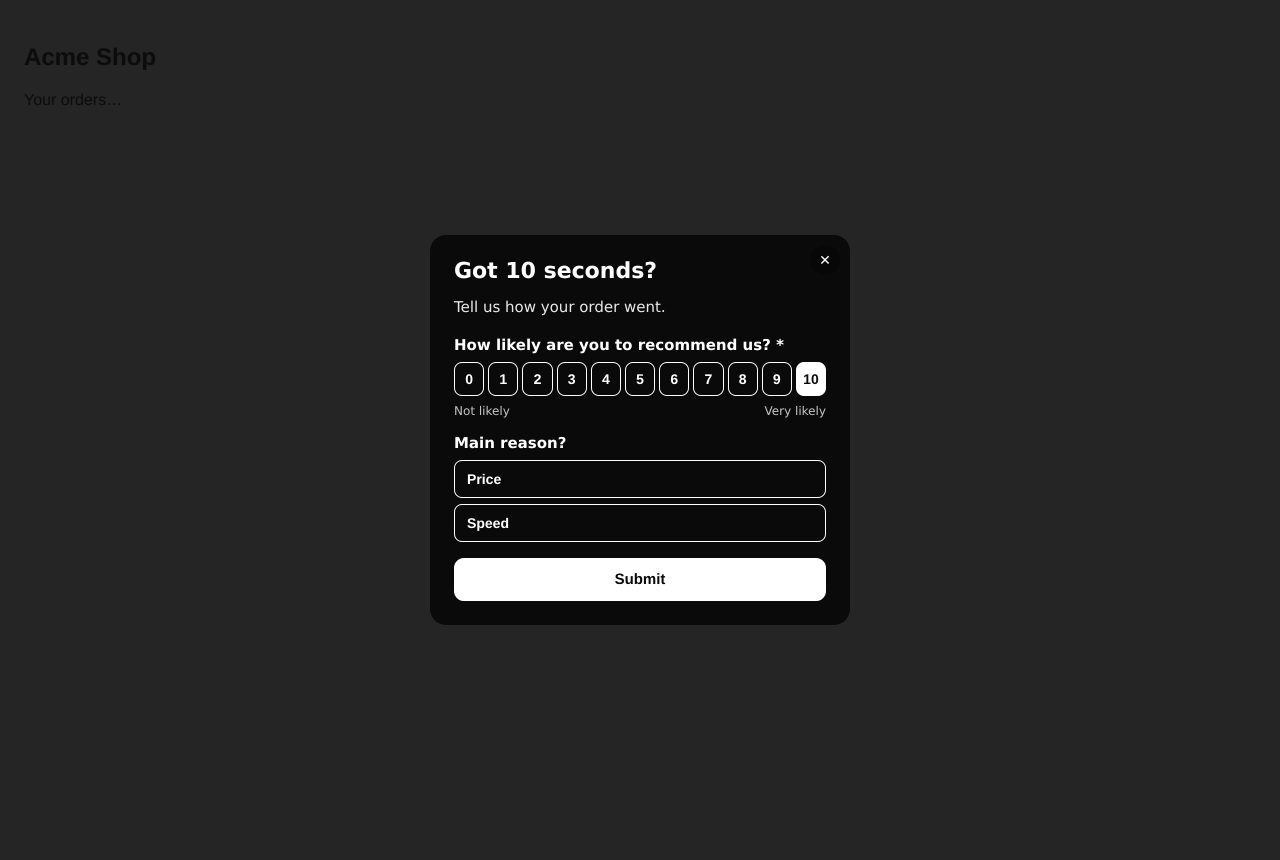
When a takeover carries a survey, the SDK draws its questions under the copy with a Submit button. It checks required questions, sends the answers to POST /api/v1/public/inapp/messages/:id/survey, shows the survey's thank-you text, and closes the takeover after about 2 seconds. A failed send shows the error and keeps the answers. onSurveyCompleted fires after a successful send. You need no extra code.
dismiss()
Programmatically close the current takeover, if any.
See the In-App Takeover setup guide for an end-to-end example.
Related
In-App Takeover setup
Integrate the EngageApp SDK (Web or Flutter) so full-screen in-app takeover campaigns render natively when your users open your app.
Flutter SDK reference
API reference for engageapp_inapp: navigator-key setup, init, identify, onAppForeground, and setHandlers.
Public API reference
The public HTTP API for server-side and SDK integrations — authentication headers and endpoints.