Opportunities & the review queue
The micro-segments the autopilot detects, how it drafts a campaign for each, and how you approve or dismiss them.
An opportunity is a specific reason to engage a specific micro-segment right now — for example, “42 shoppers added to cart in the last 7 days but haven’t purchased.” On each cycle the autopilot detects opportunities from lifecycle stages and behavior signals, materializes the audience as a managed segment, and drafts a tailored campaign with AI generation.
The opportunity catalog
Which detectors run depends on which behaviors your lifecycle model has mapped — an opportunity only runs when all of its required behaviors are present.
- Onboarding stall — acquired but not converted. Nudge contacts through their first milestone.
- Abandon — has a high-intent signal (e.g. added to cart) but hasn’t converted. Recover them before they cool off.
- Post-conversion — recently converted. Welcome, onboard, and set up the next purchase.
- Re-engage dormant — was active before but has done nothing in the last 30 days. Bring them back.
- High-value nurture — repeat volume past the model’s high-value tier. Reward and retain your best customers.
- Win back — an explicit churn signal, or a converted contact who has lapsed. Attempt a win-back.
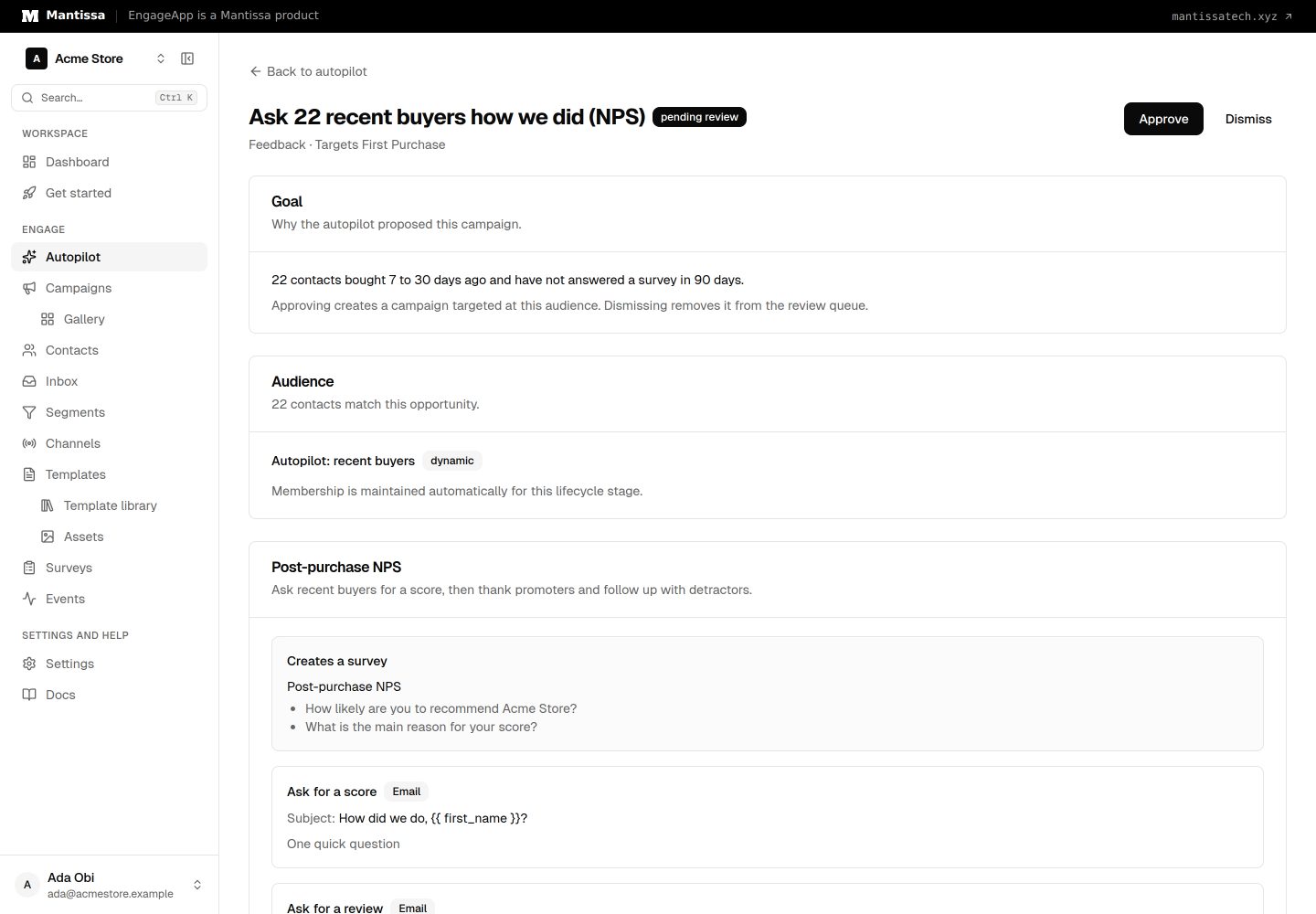
- Feedback — converted 7 to 30 days ago and has not completed a survey in the last 90 days. Ask for an NPS score with a survey, save it to the contact and branch on it. The draft shows the survey it will make. Success is a completed survey.
From opportunity to draft
For each detected opportunity the autopilot builds a natural-language brief from the opportunity kind and audience, then calls campaign generation to produce a complete multi-step campaign. The brief also includes a compact summary of what has converted best for your workspace so far (see performance & learning), so drafts lean toward approaches that work.
The review queue
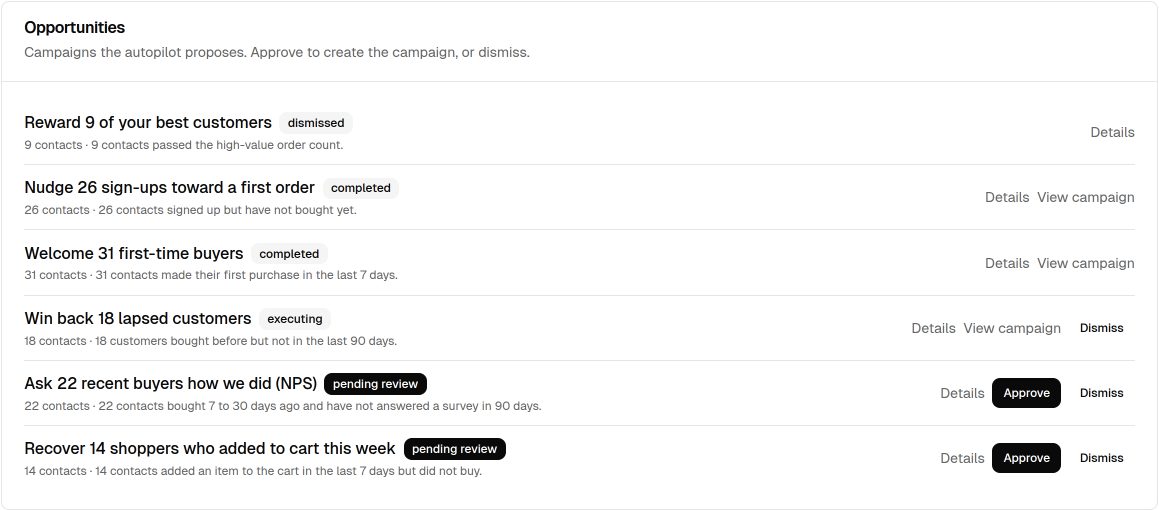
Opportunities appear on the autopilot dashboard with a status and a plain-language rationale. A typical opportunity moves through: detected → generating → pending review → approved → executing → completed (or dismissed or failed).
- Approve accepts the generated campaign — it becomes a normal draft campaign and activates through the standard accept path. You can open it in the flow builder first to edit copy, timing, or steps.
- Dismiss removes the opportunity from the queue.
- If you approve before generation has finished, the autopilot tells you it’s still generating (or reports a generation failure) rather than erroring.
The queue holds at most one open opportunity per kind, so it won’t fill with repeats of the same idea. After a play launches, its kind rests for a cooldown before it can be detected again: 7 days for abandon, 14 for post-conversion, 90 for win back, and 30 for the others. Each contact joins only one open play at a time, and the most specific kind wins. In auto-execute mode, qualifying opportunities skip the review step and activate directly within your guardrails.
Running it
Detection runs on the sweep and can be triggered on demand with Detect opportunities from the dashboard. High-intent events can also trigger detection in near-real time — see real-time detection.
Next steps
- Set how much the autopilot ships on its own in autonomy & guardrails.
- Refine an approved draft in the AI generation flow.
- Measure impact on the performance dashboard.
Related
Engagement Autopilot
An AI engagement brain that watches each contact’s lifecycle, spots opportunities, and proactively drafts (or ships) tailored campaigns to grow retention.
Lifecycle classification
How the autopilot places every contact on a lifecycle stage from their behavior, and the six predefined business models it can use.
AI campaign generation
Describe a goal in plain language and get a complete multi-step campaign — copy, timing, channels, and steps.
Segments
Group contacts by attribute and behavior rules to target campaigns and manual enrollments.