First event → first email
A ten-minute curl/Postman path from an ingested event to the first email — the same purchase_completed payload as the homepage, on the public events API.
This is the public, ten-minute path from one event to one email. It uses the same purchase_completed payload as the homepage developer example, posted to the real ingest endpoint with a secret API key.
You will: create an API key, connect an email channel, author a template, build an event-triggered campaign, then fire the event with curl or Postman. Signup includes 100 free credits (email costs 1 credit per successful send; failed sends are free).
What you need
- An EngageApp account.
- SMTP credentials for email, unless your workspace offers managed email.
- curl or Postman.
1. Create a secret API key (~1 min)
Go to Settings → Developers and create a secret key (df_…). Copy it once. Send it as X-API-Key — not Authorization: Bearer. Publishable pk_… keys are rejected on this endpoint.
2. Connect email (~2 min)
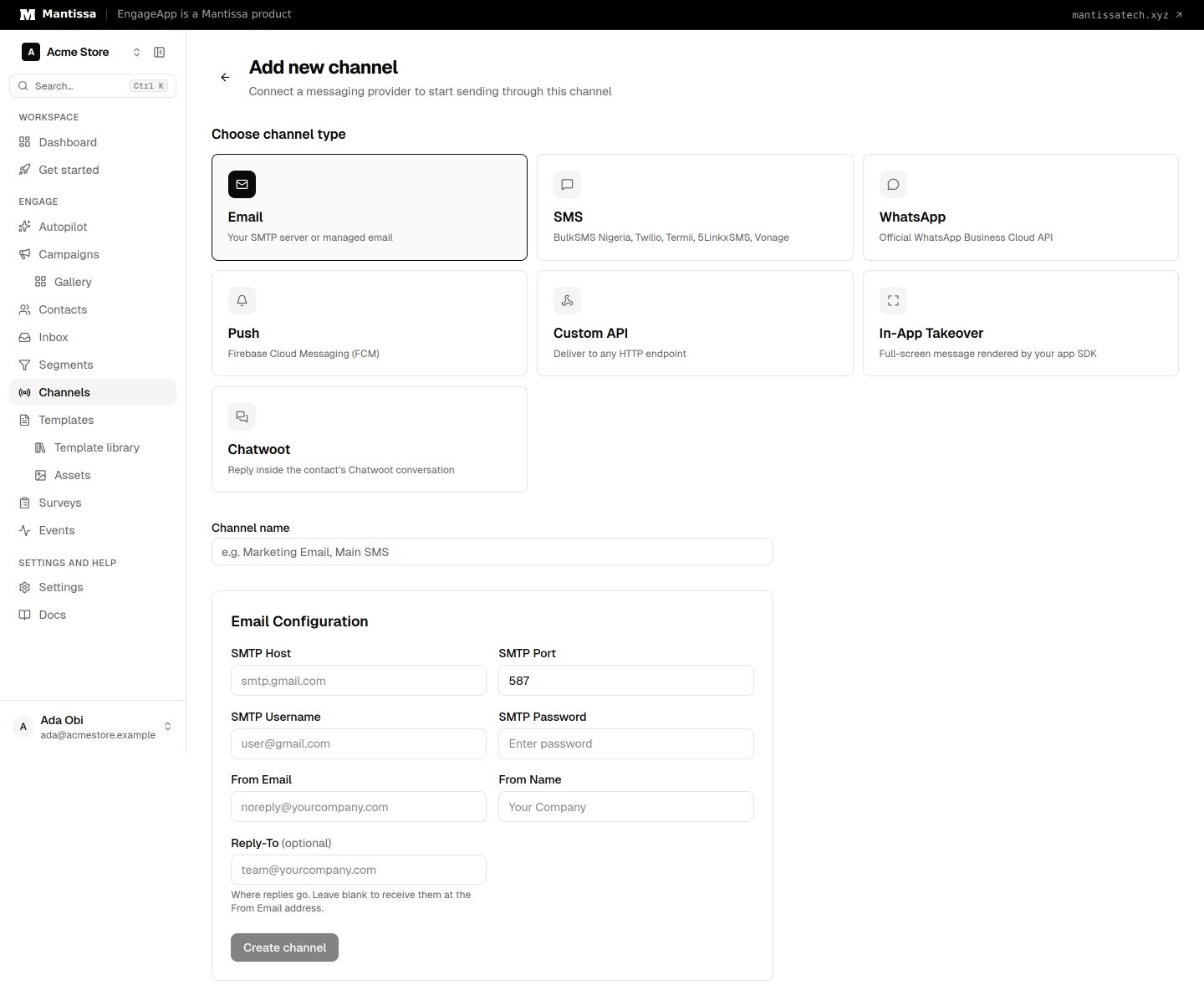
Go to Channels → Add channel → Email. Choose Managed (if shown) or Your SMTP, set the from name and the other details, then save. Until a channel exists, campaigns have nowhere to send.
3. Author a one-email template (~2 min)
Go to Templates → New, choose Email, and write a short message. {{ first_name }} and event properties such as {{ event.properties.amount }} resolve at send time when the trigger snapshot includes them.
4. Build the journey: event → send (~3 min)
- Open Campaigns → New (blank is fine).
- Set the trigger to Event with name
purchase_completed— the same name the homepage example uses. - Add a send message step that uses the email channel and template from steps 2–3.
- Click Publish to activate the campaign. Draft campaigns do not enroll.
5. POST the event (curl or Postman) (~2 min)
Ingest is POST https://api.engageapp.xyz/api/v1/public/events. The body is a batch: wrap the homepage fields in an events array. Include email so EngageApp can create a mailable contact from external_id (the homepage snippet omits email because it is illustrating ingest, not the first send).
curl -X POST https://api.engageapp.xyz/api/v1/public/events \
  -H "X-API-Key: df_your_secret_key" \
  -H "Content-Type: application/json" \
  -d '{
    "events": [
      {
        "external_id": "usr_9f8a2b",
        "email": "[email protected]",
        "event_name": "purchase_completed",
        "properties": { "amount": 149, "plan": "pro" }
      }
    ]
  }'
Success looks like { "ingested": 1 }. In Postman: POST the same URL, header X-API-Key, raw JSON body as above.
6. Confirm the email went out
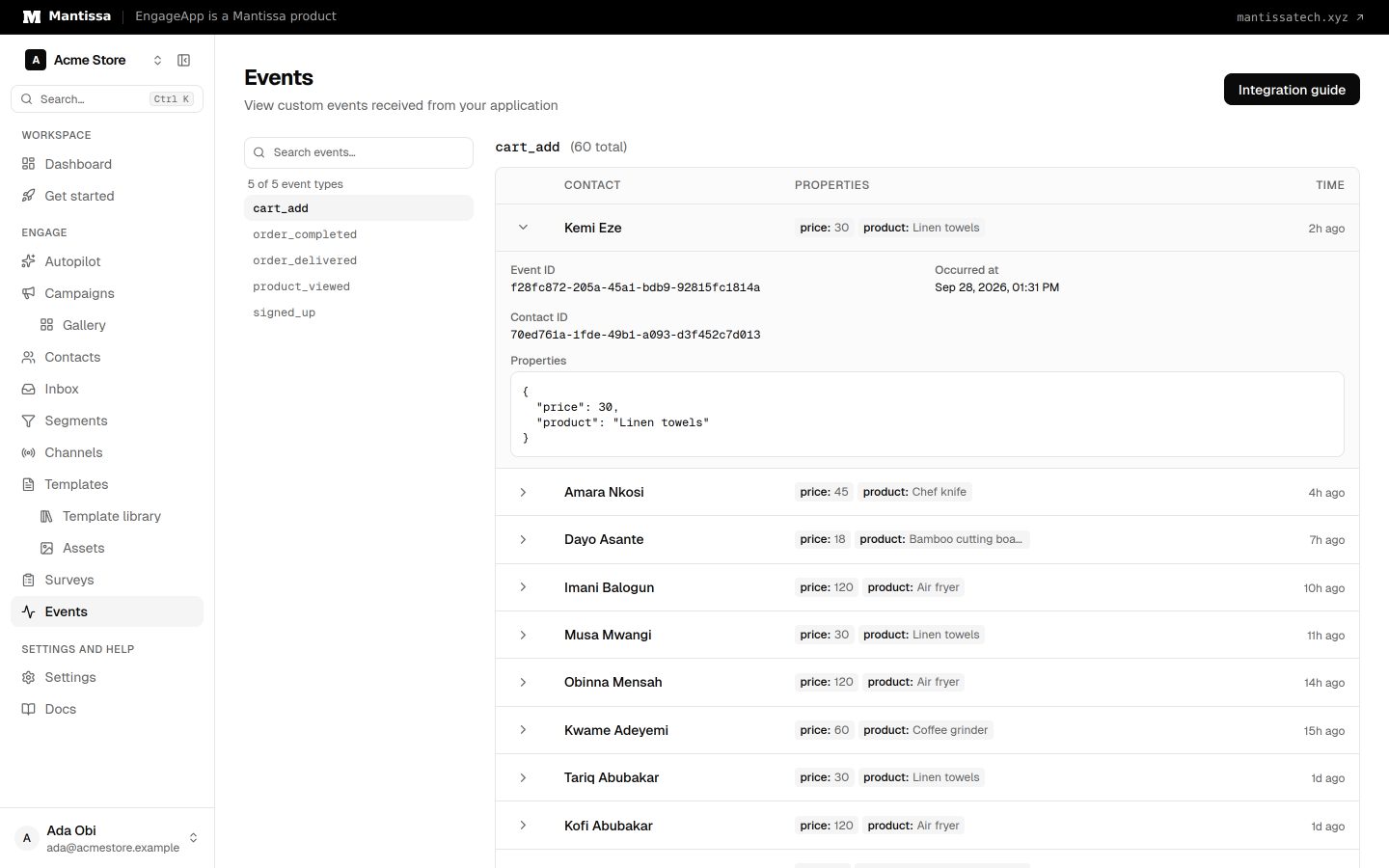
Open Events — you should see purchase_completed. Then open the campaign's analytics or history. The first successful email costs 1 credit. If the send fails, no credit is taken.
If nothing sends
- Campaign still draft — activate it.
- Event name mismatch — trigger and payload must both be
purchase_completed. - No email on the contact — include
emailon the event (or upsert the contact first). - Channel credentials rejected — check the email channel; failed sends stay free.
- Wrong path or auth — ingest is
https://api.engageapp.xyz/api/v1/public/eventswithX-API-Key.GET /api/v1/eventslists events in the dashboard; it does not ingest.
Next steps
- For a store, swap
purchase_completedforcheckout.startedand clone Cart recovery — wait_untilorder.placedso buyers are not emailed. - Read events and triggers.
- Add SMS or WhatsApp on the same journey once email works.
Related
Send your first campaign
A ten-minute walkthrough that takes you from an empty workspace to a live campaign delivering messages to your contacts.
Events
Send behavioral events about your contacts to trigger campaigns, gate waits, and power segments.
API keys
Create and manage secret, publishable, and scoped Action API keys. Secret df_ keys do not grant dashboard or campaign access.
Triggers & enrollment
A trigger decides how contacts get enrolled into a campaign — manually, by event, on a schedule, or when they join or leave a segment.
Email channel
Send email through your own SMTP server or EngageApp managed email, authored with the visual MJML editor.