PostHog integration
Connect your PostHog project to enrich EngageApp contacts with their acquisition UTM parameters for attribution and segmentation.
The PostHog integration pulls each contact's acquisition utm parameters into EngageApp so you can attribute contacts to the campaign or source that brought them in — and segment on it. Connecting is a one-time setup done by an owner or admin.
What it does
Once connected, EngageApp queries your PostHog project (via PostHog's HogQL query API) and enriches each contact with the UTM parameters from their acquisition — such as utm_source, utm_medium, and utm_campaign. Those become attributes you can filter and report on, so you can answer which sources produce your most engaged contacts.
Connect your project
- Open Settings → Integrations and choose PostHog. Only an owner or admin can add a connection.
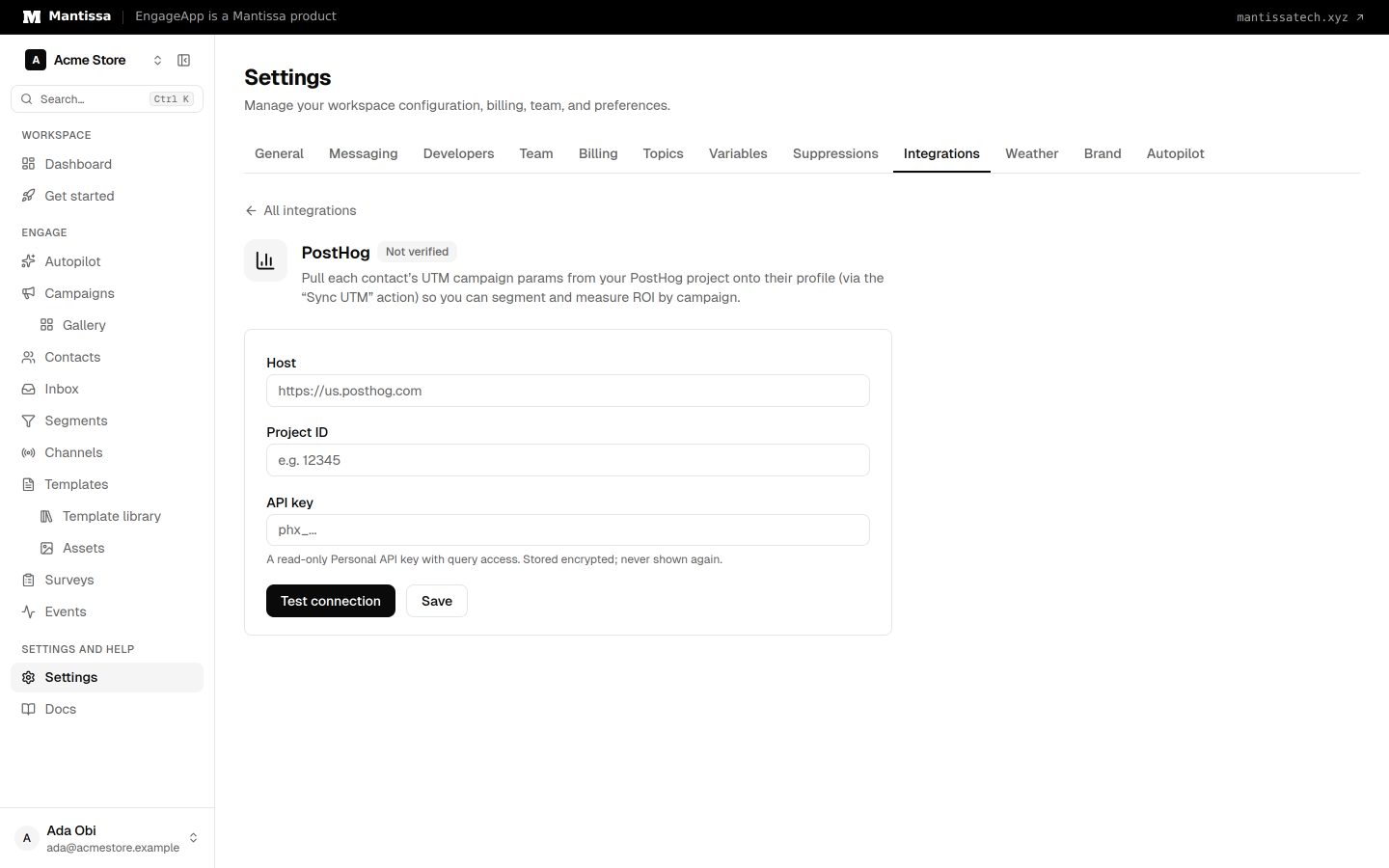
- Fill in Host, Project ID, and API key. Use a read-only PostHog personal API key that can run queries against the project.
- Choose Test connection. EngageApp saves your credentials, encrypts them at rest, and makes a test call. If the key, host, or project is wrong, the test fails and shows the reason. Save alone stores the credentials without checking them.
Use the enriched data
After the connection is verified, new contacts and contacts that send events get their UTM attributes automatically. To fill in existing contacts, choose Sync all contacts on the PostHog page. The pulled UTM attributes then appear on your contacts. Build a dynamic segment such as "utm_source is paid_search" to target contacts by how you acquired them, or compare performance across sources in your analytics.
Manage the connection
You can review, update, or remove the PostHog connection at any time under Settings → Integrations. Rotate the read key there if it changes in PostHog; choose Test connection again to verify the new credentials.
Next steps
Related
Events
Send behavioral events about your contacts to trigger campaigns, gate waits, and power segments.
Contacts
How EngageApp models your end-users as contacts, the fields they carry, and the ways to add them.
Analytics
Workspace-wide and per-campaign analytics — delivered, opens, clicks, conversions, bounces, and failures.