Deliverability settings
Frequency caps, quiet hours, send-time optimization, and deep-link settings that protect your users and sender reputation.
Deliverability controls live under Settings → Messaging, except the deep-link scheme. They protect your users from over-messaging and protect your sender reputation across every channel.
Frequency caps
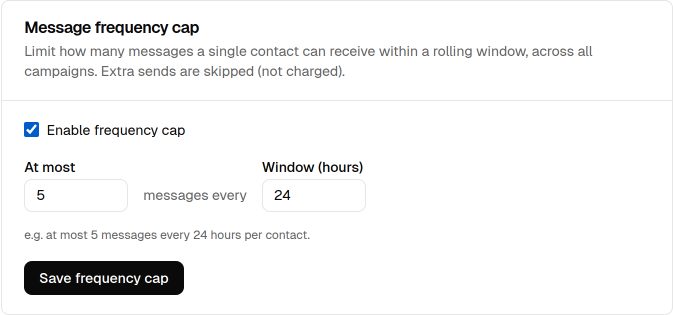
A frequency cap limits sends to at most N messages per contact within a rolling window measured in hours. Once a contact hits the cap, further sends are skipped and not charged, so no one is overwhelmed during a busy campaign period.
Quiet hours
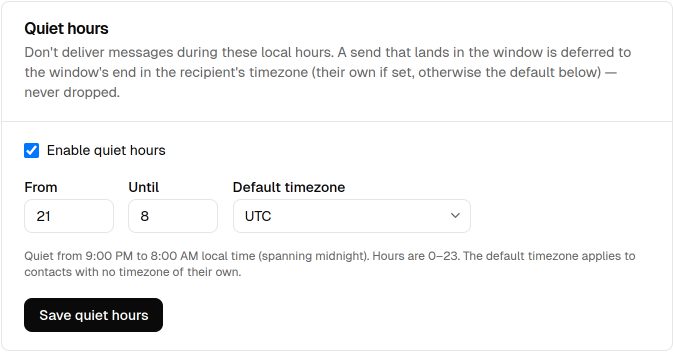
Quiet hours define a local-time window during which sends are deferred. EngageApp uses each contact's timezone, or your default timezone when the contact has none, and reschedules a held message to the next allowed time, so recipients aren't disturbed overnight.
Send-time optimization
Send-time optimization defers each contact's sends to the hour they're most likely to engage. Instead of blasting everyone at once, EngageApp spreads delivery to each contact's best window.
Push deep-link scheme
The push deep-link scheme is your app's URI scheme — for example myapp resolves a deep link to myapp://checkout. Push notification presets use it to send a tap to the right screen in your app instead of a web URL. Set it under Settings → Developers.
Next steps
Related
Suppressions
Block sends to specific recipients — unsubscribes, bounces, complaints, and manual entries — to protect deliverability.
Topics & preferences
Offer subscription categories so contacts give granular, compliant consent instead of an all-or-nothing unsubscribe.
Channels overview
The delivery channels EngageApp supports — email, SMS, WhatsApp, push, custom API, and full-screen in-app takeovers.