Email channel
Send email through your own SMTP server or EngageApp managed email, authored with the visual MJML editor.
The Email channel sends email to your contacts. You choose how to send, set the sender details, then reference the channel from a campaign's send message step.
Providers
Email has two options. Managed needs no setup: EngageApp sends from its verified domain, and replies go to your reply-to address. Your SMTP sends through your own mail server or any provider that offers SMTP. Your SMTP credentials are encrypted at rest.
Create the channel
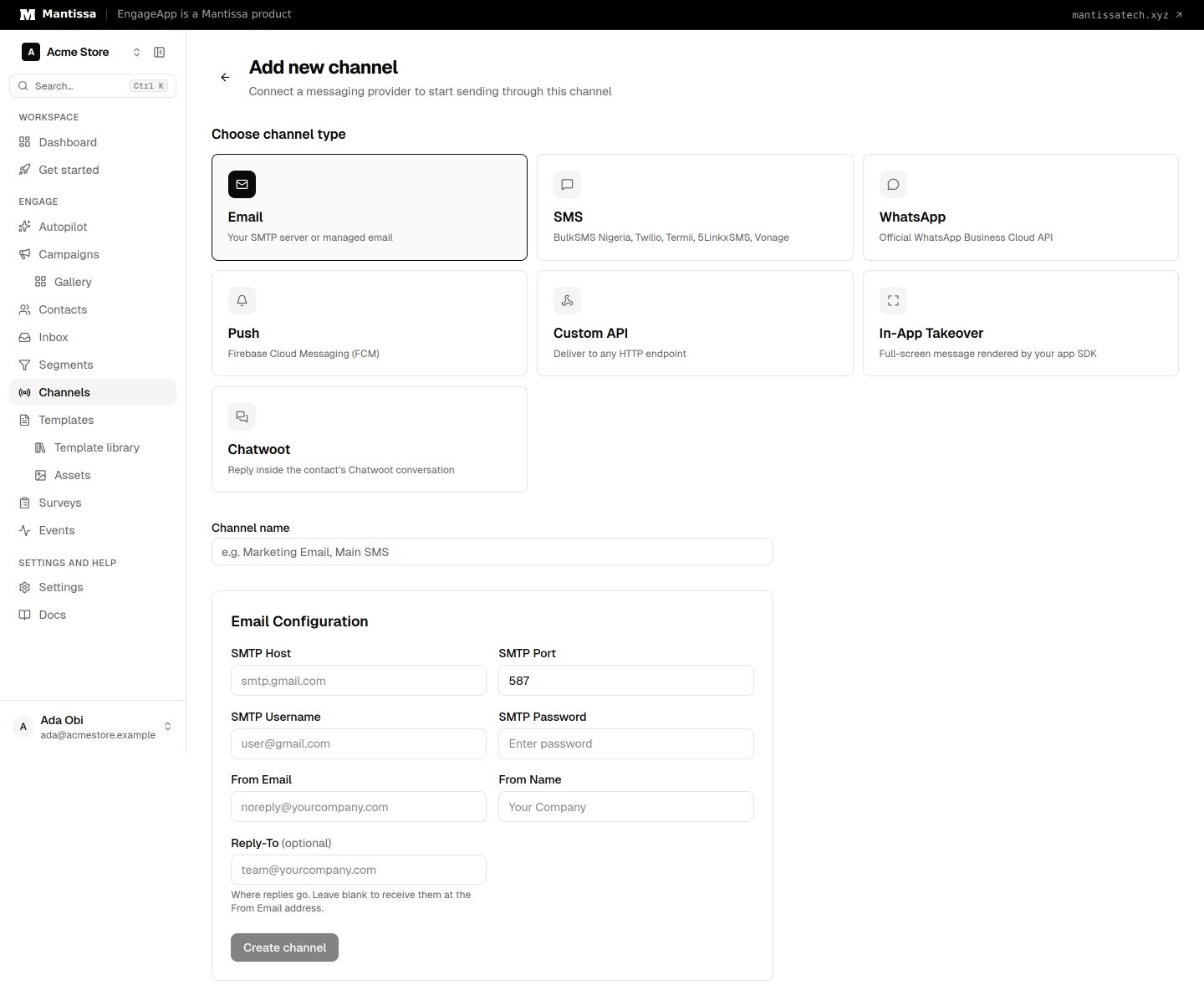
- Go to Channels → Add channel → Email and give the channel a name.
- Choose Managed or Your SMTP. The managed option shows only when your EngageApp operator has turned it on.
- For managed email, set a From Name and an optional Reply-To. For your SMTP, enter the SMTP Host, SMTP Port, SMTP Username, SMTP Password, From Email and From Name.
- Select Create channel so campaigns can reference it.
Author your content
Compose email bodies in the visual MJML email editor. It produces responsive markup that renders reliably across clients, so you can focus on layout and copy rather than table-based HTML. Personalize with variables that resolve per contact at send time.
Send from a campaign
In your campaign's send message step, select this Email channel and the template you built. When the step runs, EngageApp renders the message per contact and dispatches it through your provider.
Credit cost
Email costs 1 credit per send. To protect your sender reputation, pair it with your deliverability settings such as frequency caps and quiet hours.
Next steps
Related
Channels overview
The delivery channels EngageApp supports — email, SMS, WhatsApp, push, custom API, and full-screen in-app takeovers.
Email editor
Compose responsive email visually with block-based, MJML-powered templates.
Deliverability settings
Frequency caps, quiet hours, send-time optimization, and deep-link settings that protect your users and sender reputation.