Billing & credits
How EngageApp prepaid, credit-based billing works — per-channel credit costs, your wallet, the ledger, and low-balance handling.
EngageApp uses prepaid, credit-based billing. Your workspace has a wallet, and every message delivery debits a per-channel number of credits from it.
Credit costs per channel
Each delivery costs a fixed number of credits based on the channel it is sent through. The default costs are:
| Channel | Credits per delivery |
|---|---|
| 1 | |
| SMS | 3 |
| WhatsApp marketing | 5 |
| WhatsApp utility | 3 |
| WhatsApp authentication | 3 |
| WhatsApp reply (24h window) | 2 |
| Push | 1 |
| Custom API | 2 |
| In-app takeover | 1 |
| Chatwoot | 1 |
WhatsApp is priced by lane: marketing, utility and authentication templates, and free-form replies sent inside the 24-hour window. Credits are debited once, when Meta reports the message delivered. A message that fails or is skipped costs nothing. See WhatsApp channel for how lanes work.
EngageApp credits do not cover Meta's own fees. Meta bills your WhatsApp Business account directly, so add a payment method in WhatsApp Manager. From 1 October 2026 Meta also charges for service messages.
Topping up your wallet
Add credits by buying a credit package or entering a custom amount. See Topping up for the full flow.
The ledger
An immutable ledger records every transaction against your wallet. Each entry has a type: topup, usage, adjustment, grant, or refund. The ledger is your permanent, auditable record of how credits entered and left the wallet.
Low-balance warnings & empty wallets
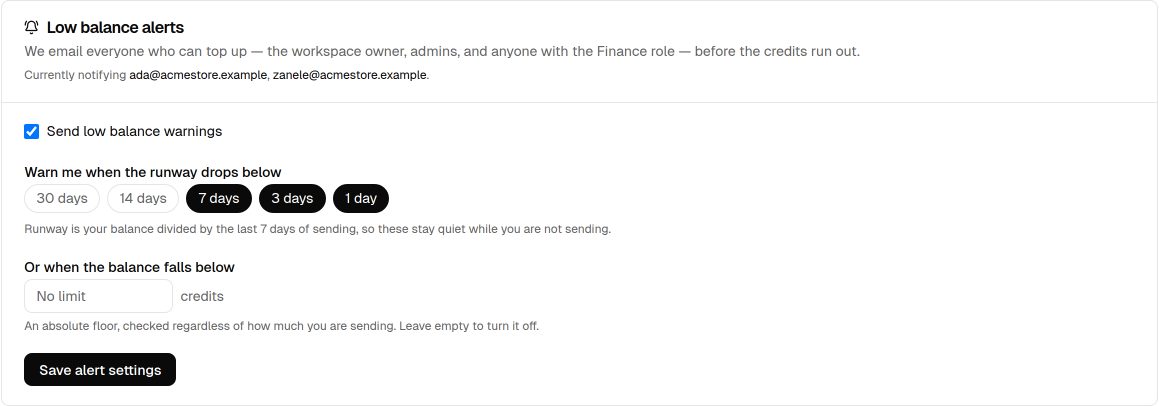
As your runway shrinks, EngageApp sends low-balance warning emails so you can top up before deliveries are affected. By default it warns at 7, 3, and 1 days of runway, and again when the wallet is empty. You can change this under Low balance alerts on the Billing tab: pick the runway thresholds (30, 14, 7, 3, or 1 days), set a minimum credit balance, or turn the warnings off. The emails go to the owner, admins, and members with the Finance role. When your balance reaches zero, deliveries are held — they are not sent and no credits are burned — until you top up. Held deliveries resume once credits are available again.
Viewing your billing
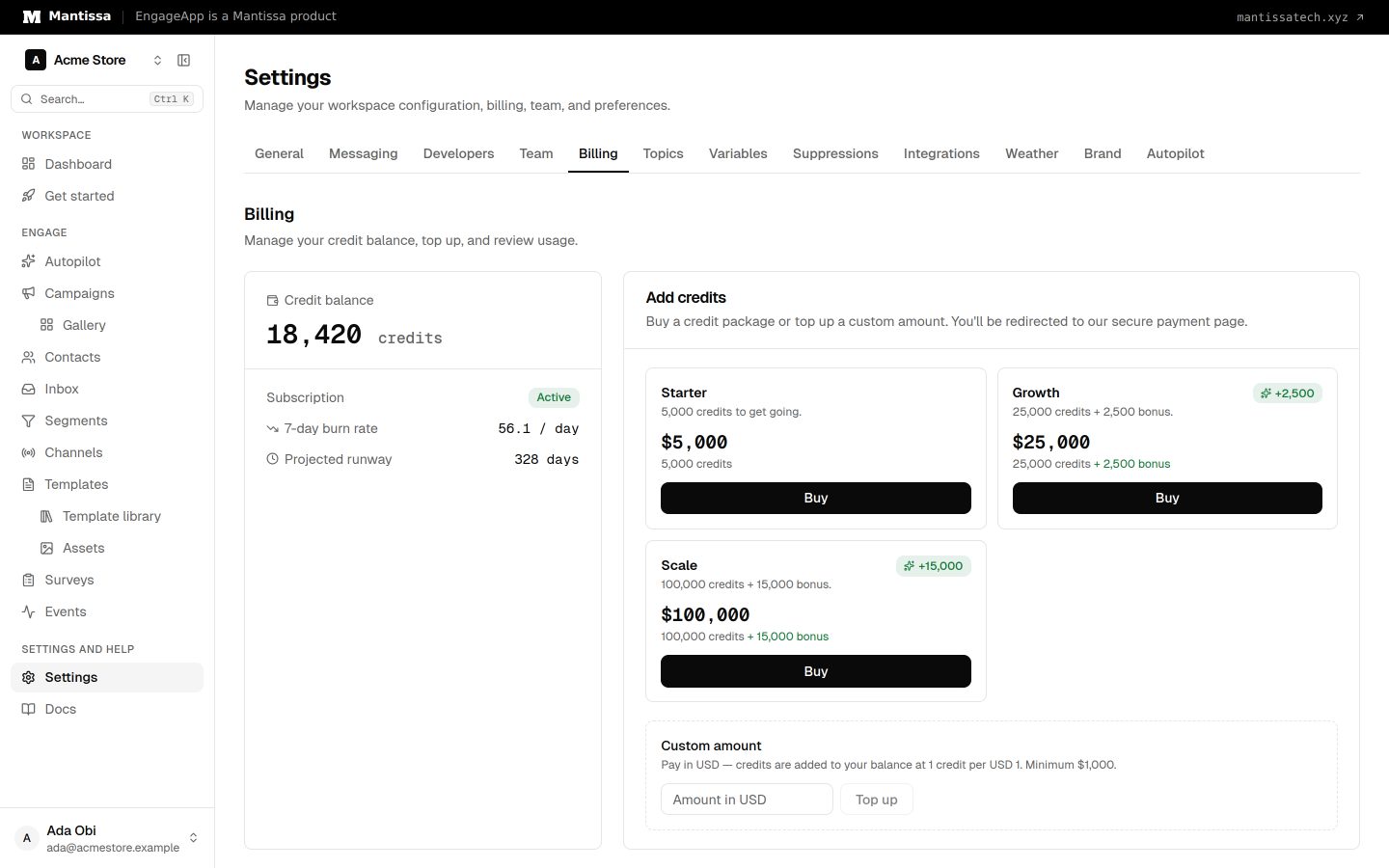
Open Settings → Billing to see your current balance, burn rate, runway, usage, and full transaction history. Workspace owners, admins, and members with the Finance role can see these details and top up. Other roles see a note to contact them. See Team & roles for how access is gated.
Next steps
- Learn how to top up your wallet.
- Review per-channel costs across the channels you use.
- Manage who can see billing under Team & roles.
Related
Topping up
How to add credits to your workspace wallet with Flutterwave, and how settlement is handled safely.
Channels overview
The delivery channels EngageApp supports — email, SMS, WhatsApp, push, custom API, and full-screen in-app takeovers.
Team & roles
Invite members to your workspace and control what they can access with owner, admin, finance, campaign editor, member, and viewer roles.