Email editor
Compose responsive email visually with block-based, MJML-powered templates.
The email template editor is a visual, block-based editor built on MJML. You compose your message from blocks and let the editor handle producing email that renders reliably across clients.
How it compiles
When you save, the editor compiles the MJML source into responsive HTML. It stores both the MJML source and the block tree, so you can reopen and keep editing visually later while EngageApp always sends the compiled HTML.
What you can add
- Merge fields — insert
{{ variable }}placeholders (e.g.{{ first_name }}) that resolve per contact at send time. - Images — pull from your Assets library so media is CDN-backed and reusable.
- Buttons and links — add clear calls to action.
- Survey — show the first question of a survey as one-click answer buttons. See Surveys in campaigns.
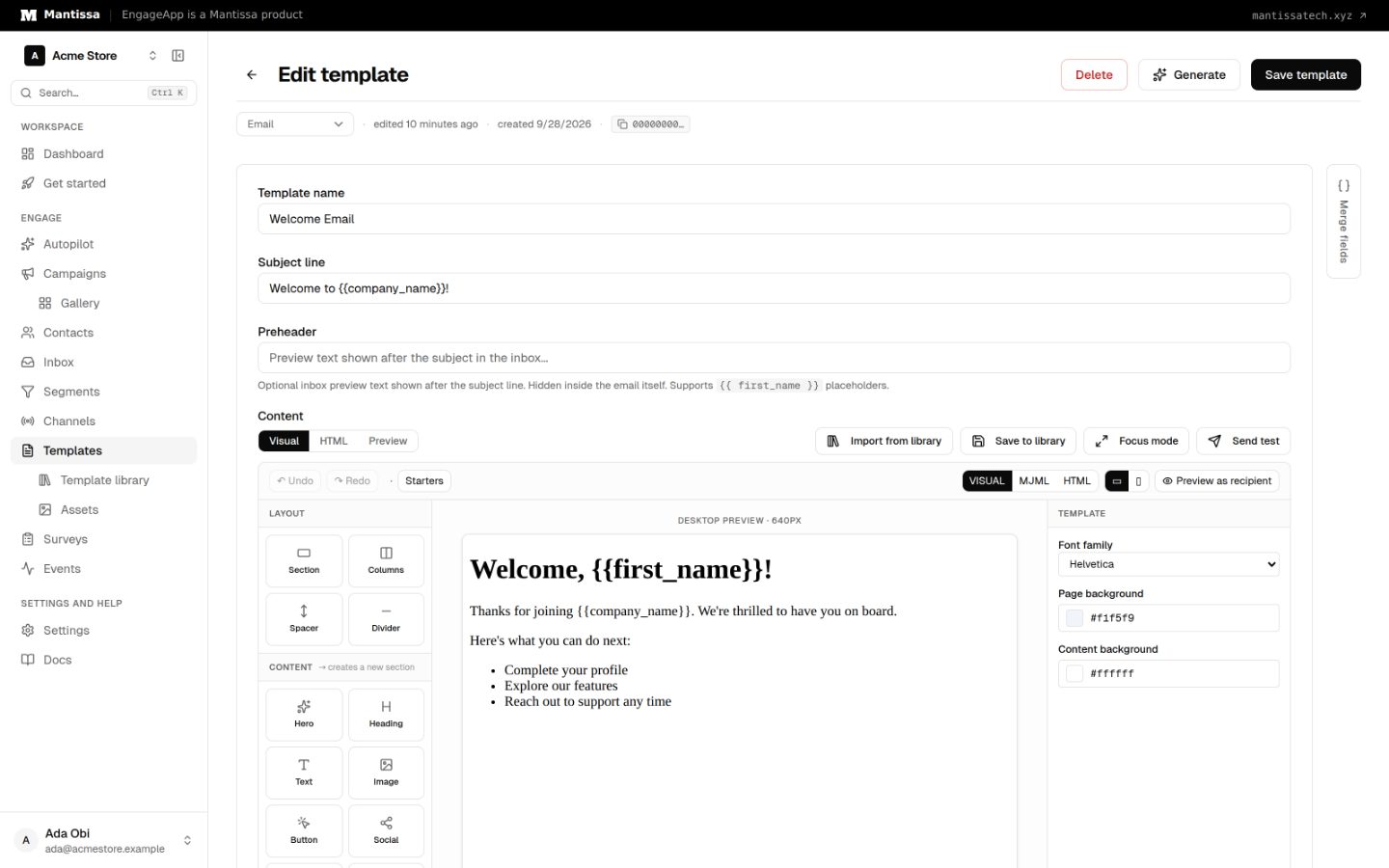
Preview before saving
Use the preview to check how blocks render and how merge fields fill in before you save. Saving compiles and stores the template, ready to reference from a campaign.
Where it is used
This editor produces the content sent by the Email channel. Author here, then reference the template from a campaign's send message step.
Next steps
- Understand templates in general in Templates.
- Manage the images you embed in Assets.
- Configure delivery with the Email channel.
Related
Templates
Author reusable message content for each channel, with per-contact merge fields resolved at send time.
Assets
Upload images and videos to a CDN-backed media library and reuse their URLs across templates.
Email channel
Send email through your own SMTP server or EngageApp managed email, authored with the visual MJML editor.