AI campaign generation
Describe a goal in plain language and get a complete multi-step campaign — copy, timing, channels, and steps.
AI campaign generation lets you describe a goal in plain language and get back a complete multi-step campaign — including copy, timing, channel selection, and the steps that tie them together. It's the fastest way to go from an idea to a working draft.
Getting started
Open Campaigns → New, describe what you want to achieve under Describe your goal, and click Generate campaign — for example, welcoming new signups or winning back lapsed customers. The generator produces a full flow tailored to that goal.
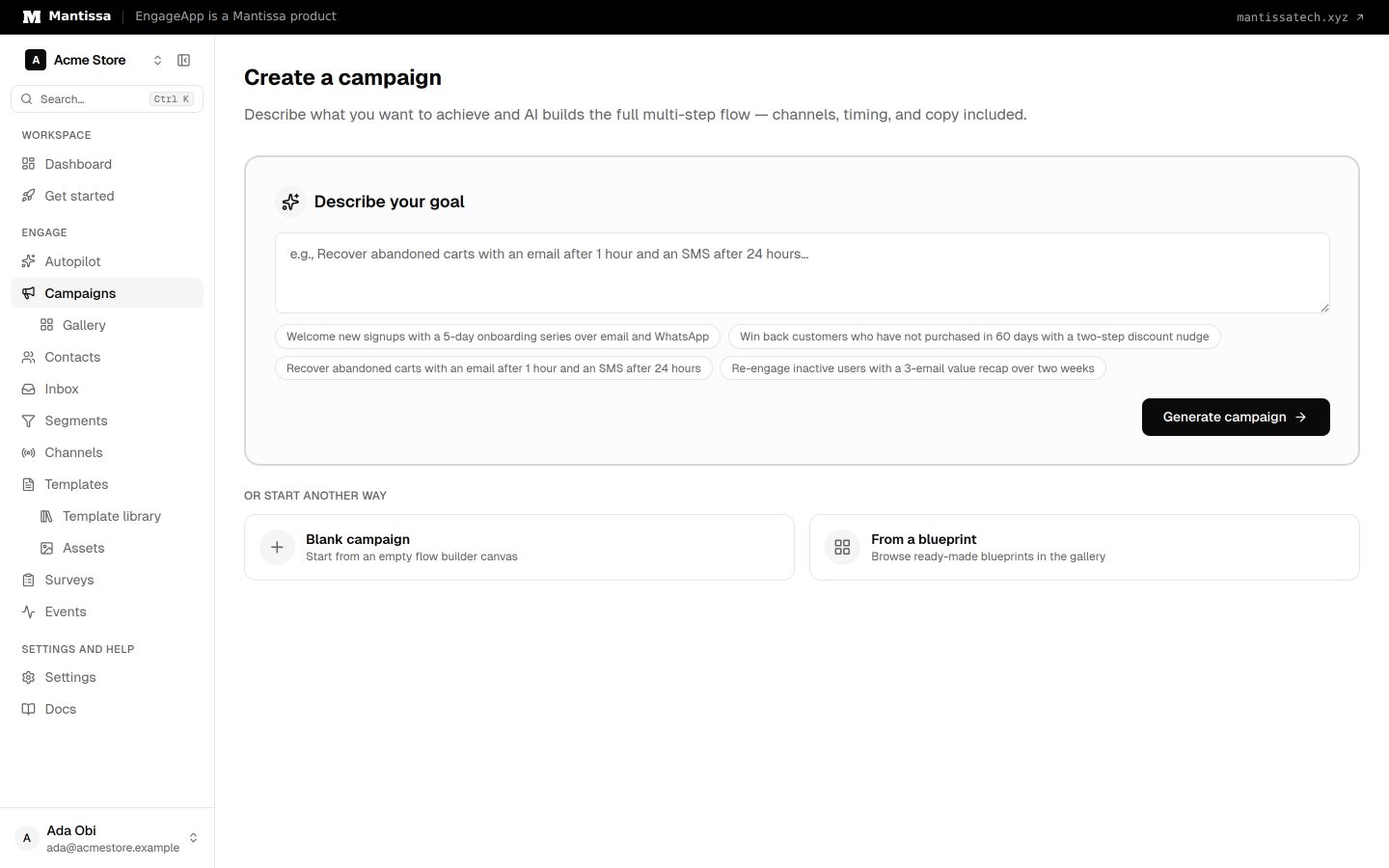
Refine and accept
You don't have to take the first result as-is. You can iterate on it, refining the output until it matches what you have in mind. When you're happy, click Accept & Create Campaign to create a draft campaign that you can then edit freely in the flow builder — adjusting steps, timing, and the templates it uses.
Surveys and feedback
Ask for feedback in your goal, for example "Ask customers for an NPS score 3 days after delivery and tag detractors". The generator can then:
- Make a new survey with up to 5 questions (NPS, CSAT, Yes / No, choice or text), or use a survey you already have.
- Put a Survey block in emails, so the first question shows as one-click buttons.
- Put a personal survey link in SMS, WhatsApp and push messages.
- Add a Wait for event step that waits for the answer to that survey only.
- Save the score to a contact field (for example
last_nps) and branch on it: thank promoters, follow up with detractors.
Before you accept, the review shows each survey it will make, with its questions. New surveys are made and activated only when you accept. In-app surveys are not generated; add them yourself in an in-app takeover. See Surveys in campaigns for how each part works.
Generation history
Your generation history is saved, so you can revisit earlier attempts and compare different directions rather than losing them.
How it works
Generation is backed by a configurable LLM provider behind the scenes, so the underlying model can be adjusted for your workspace.
Next steps
- Return to the campaigns overview.
- Refine the generated flow in the flow builder.
- Fine-tune the copy in templates.
Related
Campaigns overview
A campaign is a visual, multi-step flow that enrolls contacts and sends them messages across channels.
Flow builder
The drag-and-drop canvas where you assemble a campaign from trigger, send, delay, condition, and wait-until steps.
Templates
Author reusable message content for each channel, with per-contact merge fields resolved at send time.
Surveys
Collect NPS, CSAT and written feedback from your contacts, then see the results by question and by campaign.