Custom API channel
Deliver a rendered message to any HTTP endpoint you control to reach channels EngageApp doesn't support natively.
The Custom API channel delivers a rendered message to any HTTP endpoint you control. Use it to reach places EngageApp doesn't support natively — Slack, an in-house service, or another provider.
How it works
When a campaign step runs, EngageApp renders your message per contact and sends the resulting payload (with POST by default) to the endpoint you configured. Your endpoint is responsible for taking it from there — forwarding to Slack, calling another API, or whatever your workflow needs.
Create the channel
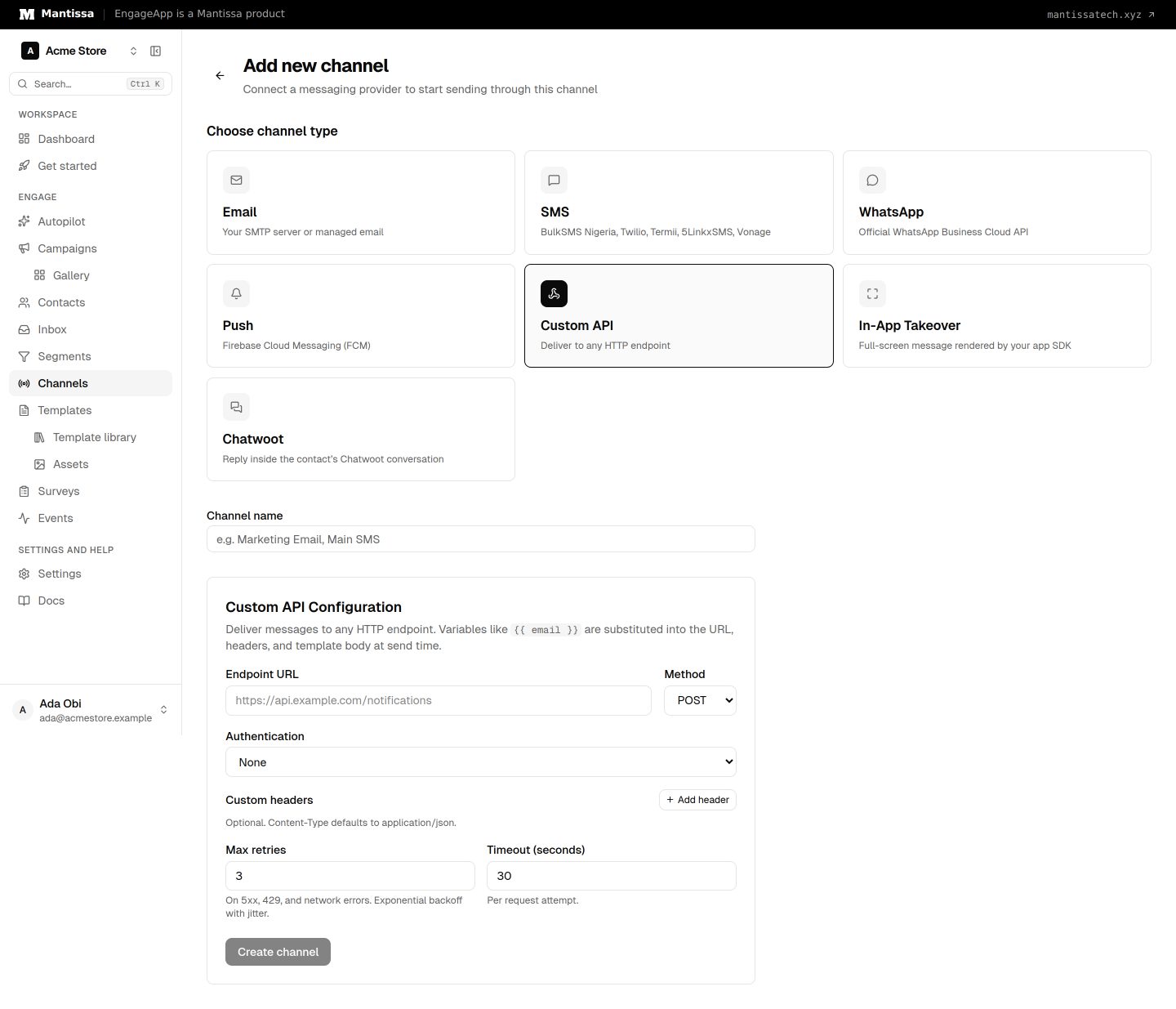
- Go to Channels → Add channel → Custom API.
- Set the Endpoint URL.
- Choose the method (POST, PUT or PATCH), pick an authentication type (bearer token, basic auth or an API key header), and add any custom headers your endpoint requires. Headers are encrypted at rest.
- Save the channel and reference it from a campaign's send message step.
Handle the payload
Your endpoint receives the rendered message payload. Validate and transform it into whatever format the downstream service expects. See the API reference for payload details.
Credit cost
Custom API costs 2 credits per send.