Cart abandonment recovery
Recover shoppers who start checkout but leave without buying, using checkout.started → wait_until order.placed.
Most abandoned checkouts are recoverable — the shopper got distracted, not disinterested. EngageApp models that as an ordinary event-triggered campaign: enroll on checkout.started, wait for order.placed, and send only if they still have not bought. There is no cart_abandoned event in the product vocabulary.
Clone it
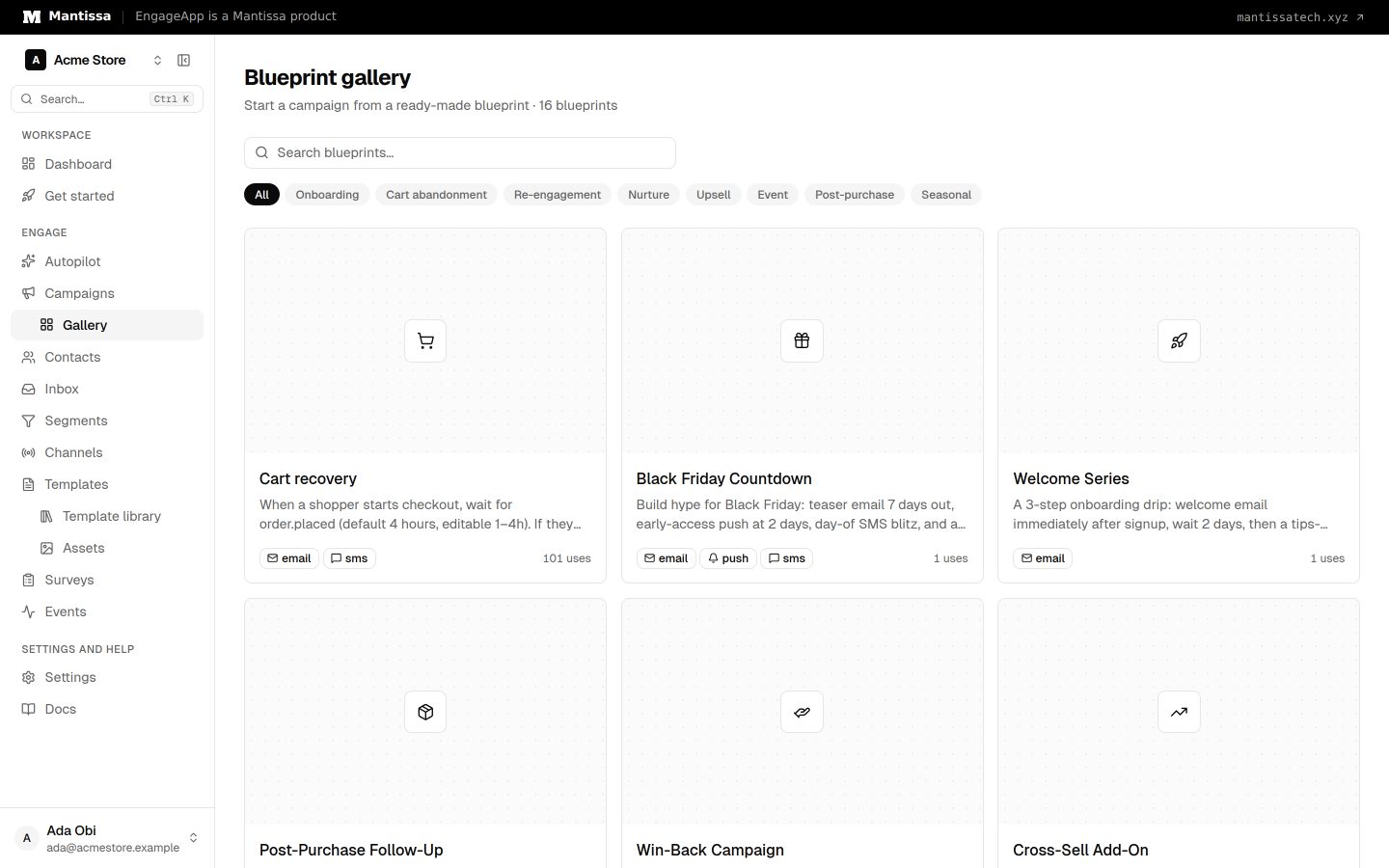
Open the Gallery (not the Campaigns list) and clone Cart recovery. Search for cart there — a SaaS workspace's campaign list will be empty until you clone. The draft already has the trigger, the wait_until step, Liquid line items, and a conversion goal on order.placed. Bind your email channel (and optionally SMS) before you activate — you do not need to hand-author the graph. Cloning this campaign does not retarget Autopilot from a SaaS onboarding lifecycle to commerce; that needs a connected store emitting these events.
Connected Shopify and WooCommerce stores emit these names via CommerceEventMap: intent is checkout.started, conversion is order.placed. Custom ingest should use the same dotted names if you want the gallery campaign to enroll without remapping.
Build it
- Send
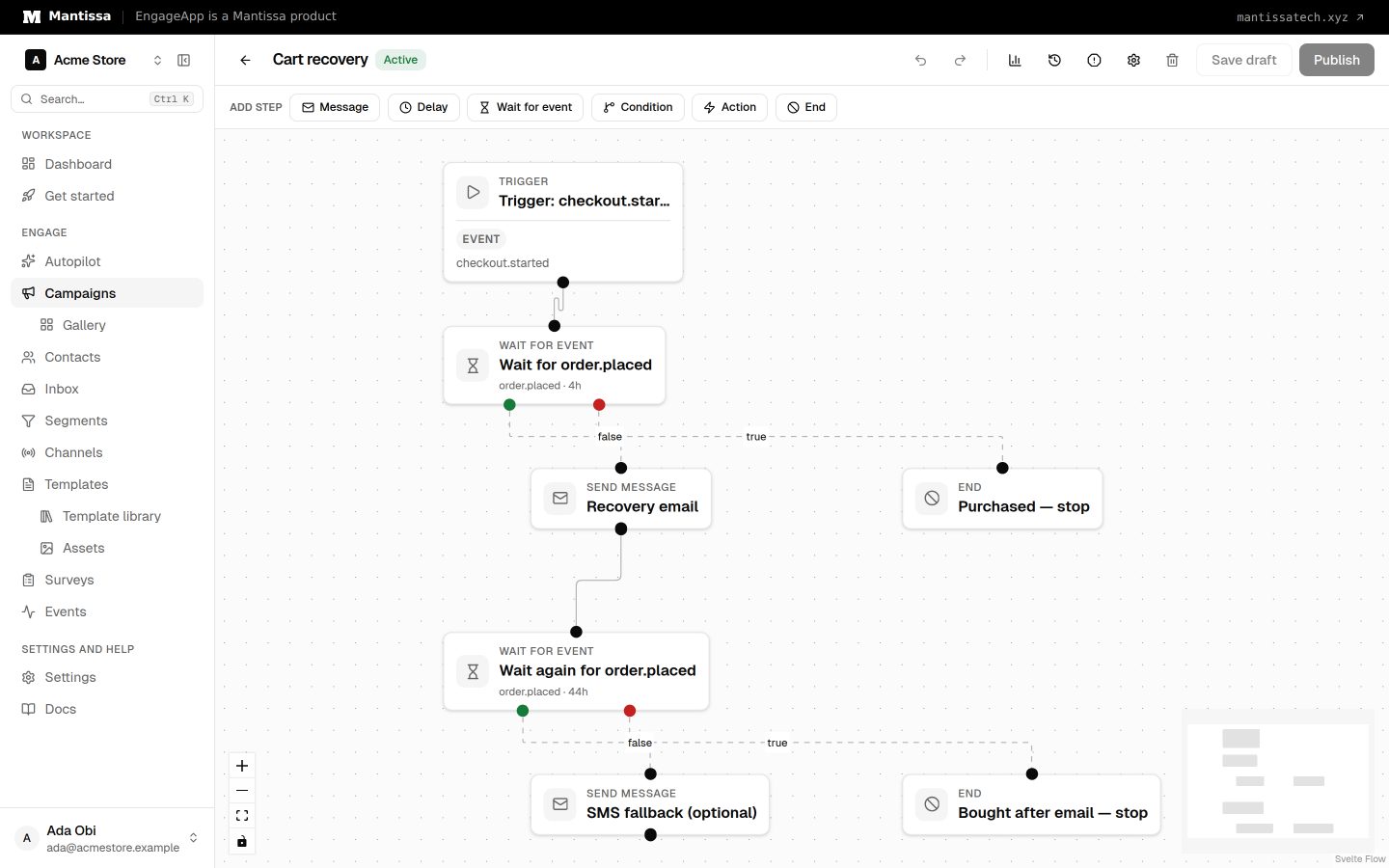
checkout.started. From a connected store this arrives automatically when checkout begins with an identifiable email. From your own backend, POST it via the Events API or an SDK. Properties are spread ontoevent.*— includeline_itemsandcheckout_recovery_urlso the reminder can list the cart and link back. - Create an event-triggered campaign (or clone the gallery blueprint). Set the trigger to event
checkout.started. Each contact who fires that event enrolls. - Wait for the purchase. Add a wait_until step on
order.placedwith a 1–4 hour timeout (gallery default is 4 hours). If they buy, the true edge is a noop — no recovery email. On timeout (false), send email. - Write the reminder in Liquid. Loop
{% for item in event.line_items %}and link{{ event.checkout_recovery_url }}. That snapshot is the enrolling checkout, even on the timeout edge. - Optional SMS later. A second
wait_until order.placed(~44 hours after the email) is in the cloned graph but does not send on clone. It only sends if you keep the step, connect an SMS channel, and the contact has SMS consent. Delete the step in email-only workspaces. The dispatcher already skips SMS without consent. - Set the conversion goal to
order.placed(window 2 days, exit on conversion, value ontotal). Buyers leave the flow even if they convert after the first wait timed out.
Tips
- Do not teach or emit
cart_abandoned,cart.abandoned, or underscorecheckout_startedfor connected stores — ingest and Autopilot expect dottedcheckout.started. - A delay-only “wait then send” graph will email people who already bought. Prefer
wait_untilonorder.placed. - Keep the first reminder friendly and reserve any incentive for a later timeout — you do not want to train shoppers to abandon for a discount.
Next steps
- Clone Cart recovery instead of starting from a blank canvas.
- Learn how to send behavioral events reliably.
- Fine-tune enrollment with campaign triggers.
- Set the success metric with conversion goals.
Related
Events
Send behavioral events about your contacts to trigger campaigns, gate waits, and power segments.
Triggers & enrollment
A trigger decides how contacts get enrolled into a campaign — manually, by event, on a schedule, or when they join or leave a segment.
Flow builder
The drag-and-drop canvas where you assemble a campaign from trigger, send, delay, condition, and wait-until steps.
Email channel
Send email through your own SMTP server or EngageApp managed email, authored with the visual MJML editor.
Campaign gallery
A library of pre-built campaign blueprints you can preview and clone into an editable draft.