Campaigns overview
A campaign is a visual, multi-step flow that enrolls contacts and sends them messages across channels.
A campaign is a visual, multi-step flow that enrolls contacts and sends them messages across your channels. It's the central object in EngageApp — everything else exists to feed into one.
Creating a campaign
Open Campaigns → New and choose how to start:
- Blank — an empty canvas you build from scratch.
- From a blueprint — clone a proven flow from the Gallery.
- AI-generated — describe your goal and let AI draft the whole flow.
What a campaign has
Every campaign carries a trigger (how contacts enter), an optional conversion goal, optional topic gating, a folder for organization, and an optional end date that auto-archives it when reached.
Statuses and lifecycle
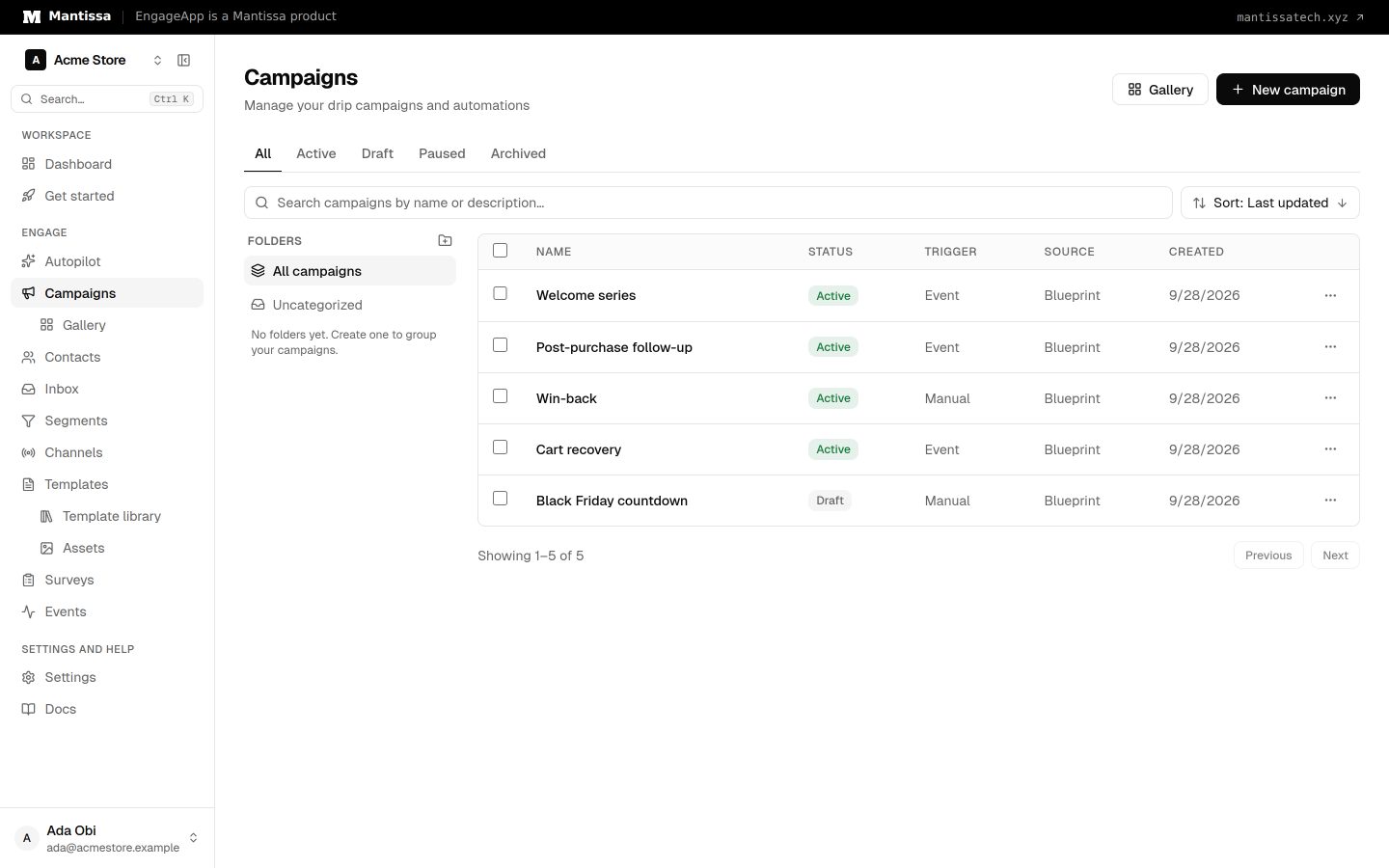
A campaign moves through four statuses: draft, active, paused, and archived. The typical lifecycle is: build in draft, activate to start enrolling and sending, monitor analytics as messages go out, then pause or archive when you're done.
Finding your campaigns
The campaign list view supports search, a status filter, and sorting, so you can quickly locate the one you need across a growing library.
Campaign sub-pages
Each campaign has dedicated sub-pages:
- Builder — the visual flow editor. Opening a campaign takes you here.
- Analytics — delivery and engagement metrics.
- Failures — sends that didn't succeed.
- History — a log of enrollments and executions.
- Settings — name, status, trigger, goal, topic, end date, and manual enrollment.
Next steps
- Design your flow in the flow builder.
- Choose how contacts enter with triggers & enrollment.
- Draft a campaign with AI generation.
- Start from a proven flow in the Gallery.
- Mark receipts and one-time codes as critical.
Related
Flow builder
The drag-and-drop canvas where you assemble a campaign from trigger, send, delay, condition, and wait-until steps.
Triggers & enrollment
A trigger decides how contacts get enrolled into a campaign — manually, by event, on a schedule, or when they join or leave a segment.
AI campaign generation
Describe a goal in plain language and get a complete multi-step campaign — copy, timing, channels, and steps.
Critical campaigns
Mark a campaign critical so receipts, one-time codes, and similar messages skip EngageApp sending limits. Consent, credits, and Meta rules still apply.
Campaign gallery
A library of pre-built campaign blueprints you can preview and clone into an editable draft.