Suppressions
Block sends to specific recipients — unsubscribes, bounces, complaints, and manual entries — to protect deliverability.
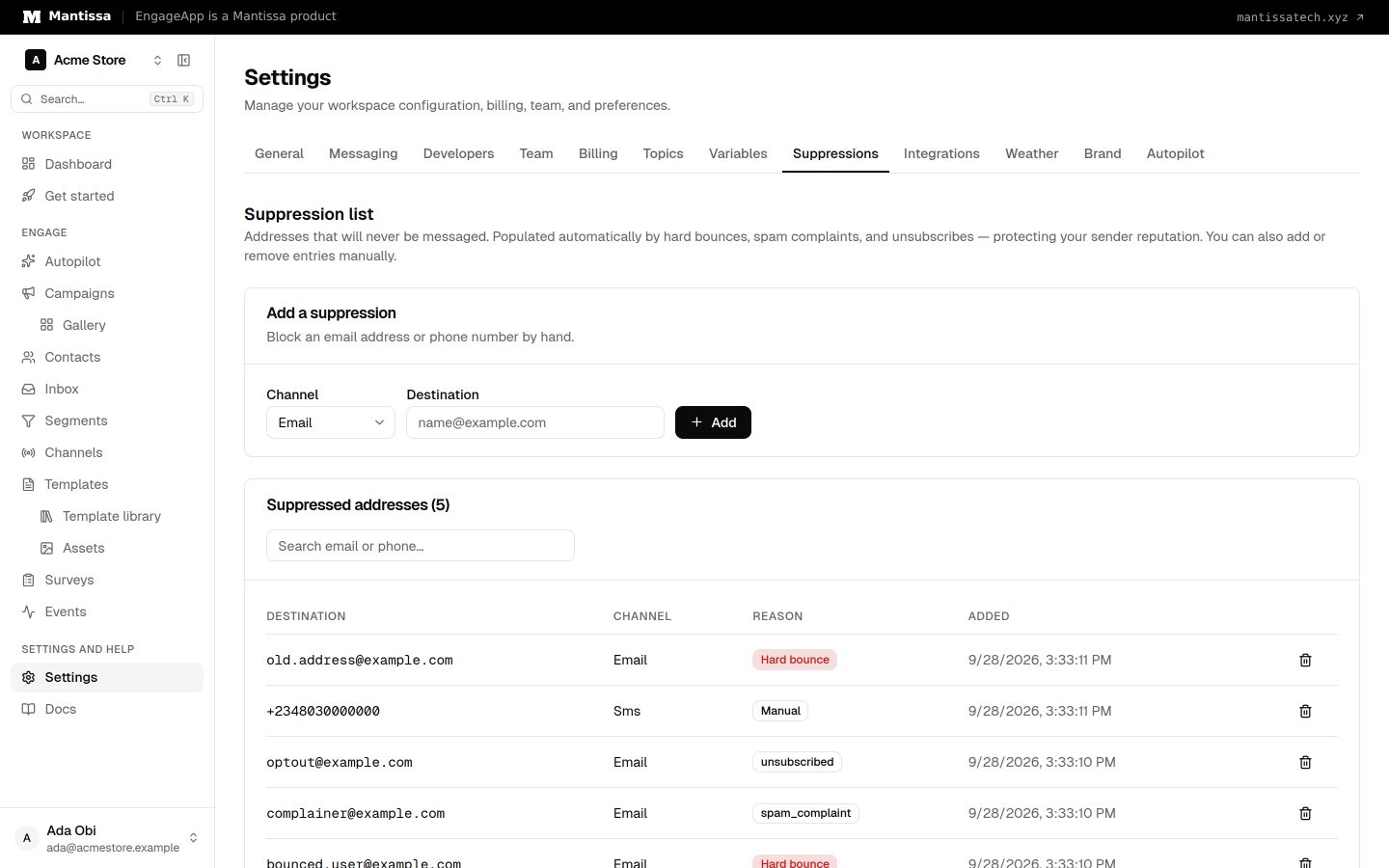
The suppression list blocks sends to specific recipients. Anyone on it is skipped at send time, no matter which campaign or channel is running.
What gets suppressed
- Unsubscribes — recipients who opted out.
- Hard bounces — addresses that permanently failed to deliver.
- Spam complaints — recipients who marked your message as spam.
- Manual entries — recipients you add yourself.
Manage the list
Manage suppressions under Settings → Suppressions. You can review and search the list and see why each entry was suppressed. Owners, admins and campaign editors can also add an email address or phone number manually, or remove an entry.
Granular opt-outs with topics
A suppression is all-or-nothing for a recipient. For per-category control — where a contact opts out of one kind of message but still receives others — combine suppressions with Topics.
Why it matters
A clean suppression list protects your deliverability and sender reputation, and keeps you compliant with recipients who have asked not to hear from you.
Next steps
Related
Topics & preferences
Offer subscription categories so contacts give granular, compliant consent instead of an all-or-nothing unsubscribe.
Deliverability settings
Frequency caps, quiet hours, send-time optimization, and deep-link settings that protect your users and sender reputation.
Contacts
How EngageApp models your end-users as contacts, the fields they carry, and the ways to add them.