Segments
Group contacts by attribute and behavior rules to target campaigns and manual enrollments.
A segment groups contacts that match a set of rules. Segments let you target the right people without hand-picking them, and they keep that audience current as your data changes.
Dynamic vs static
- Dynamic segments auto-update as contacts and events change. A contact automatically enters or leaves the segment the moment they start or stop matching the rules.
- Static segments are a fixed list with no rules. You add contacts by hand or by importing a CSV into the list — useful when you want a stable, unchanging list.
Building rules
Rules combine contact attributes and event history. For example, you can target contacts where plan = pro AND who performed the purchase event at least 3 times. Go to Segments, click Create segment, add your conditions, and save.
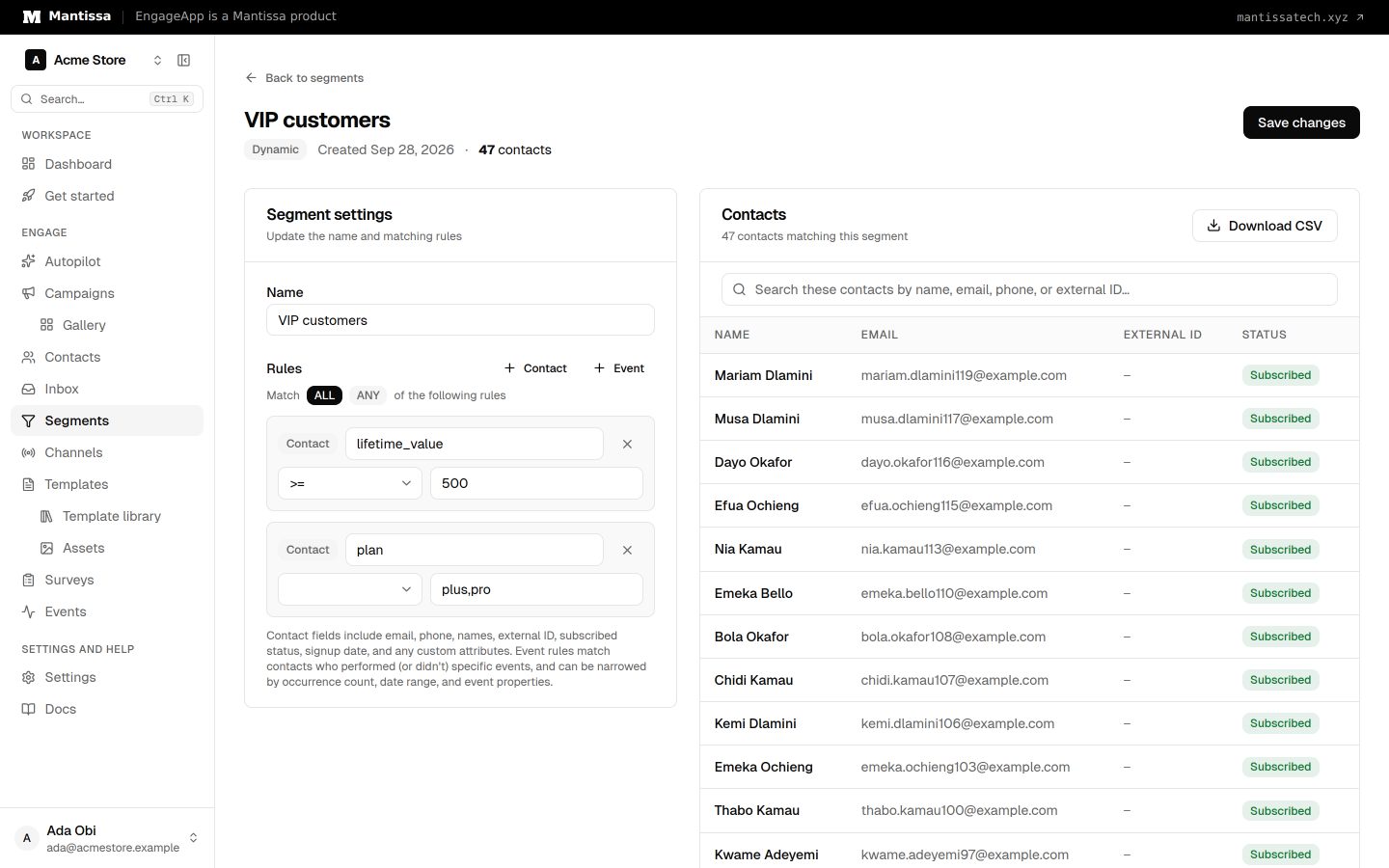
Using a segment
Once defined, a segment can:
- Act as a segment trigger that enrolls a contact into a campaign when they join or leave the segment — for example, welcome someone who enters a "new trial" segment, or start a win-back when someone drops out of an "active users" segment. See Triggers.
- Be targeted directly in a manual enrollment to send to everyone currently in the segment.
Joining and leaving
As contacts and events change, EngageApp keeps dynamic segment membership current and records each contact that joins or leaves. Those transitions are what a join/leave trigger reacts to. A few things worth knowing:
- Membership changes are picked up automatically, within a few minutes — not necessarily the instant your data changes.
- Both directions work for dynamic and static segments. Adding or removing a contact from a static list counts as a join or leave too.
- If a contact leaves a segment only because it was deleted, it won't be enrolled into a join/leave campaign — there's no one left to message.
Next steps
Related
Contacts
How EngageApp models your end-users as contacts, the fields they carry, and the ways to add them.
Events
Send behavioral events about your contacts to trigger campaigns, gate waits, and power segments.
Triggers & enrollment
A trigger decides how contacts get enrolled into a campaign — manually, by event, on a schedule, or when they join or leave a segment.