Topics & preferences
Offer subscription categories so contacts give granular, compliant consent instead of an all-or-nothing unsubscribe.
Topics are subscription categories — for example "Product updates" or "Promotions". They let contacts choose which kinds of messages they want, rather than opting out of everything at once.
How contacts opt in and out
Contacts manage their choices per topic through a public preferences page and through the unsubscribe links in your messages. Each topic is an independent opt-in, so a contact can keep receiving transactional product updates while opting out of promotions.
Topic-gating a campaign
A campaign can be topic-gated with a marketing topic: only contacts who are subscribed to that topic receive its sends. This keeps every send aligned with the consent the contact actually gave and helps protect your deliverability.
Managing topics
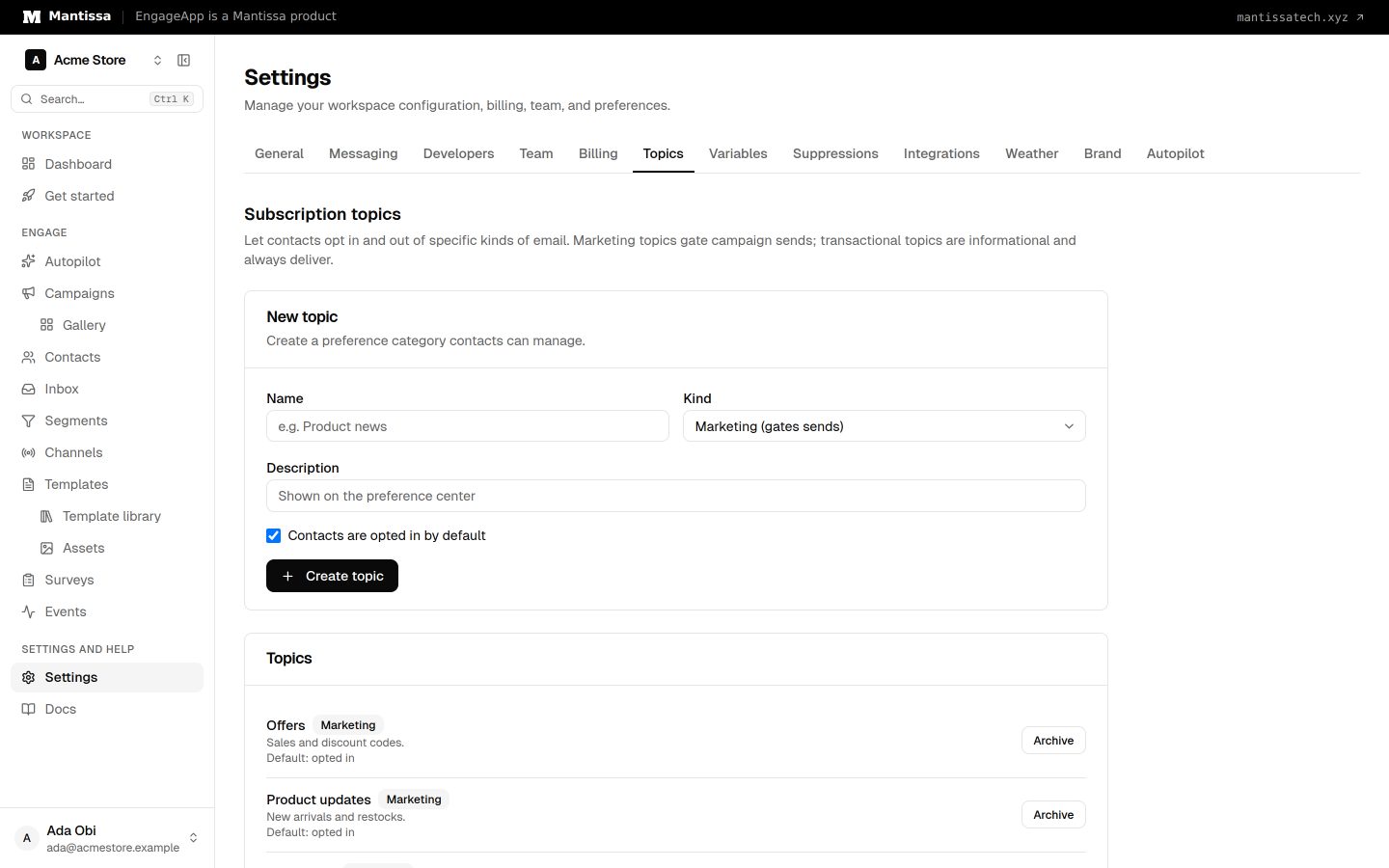
Owners and admins manage the list of topics under Settings → Topics. Each topic has a Kind: Marketing topics gate sends, and Transactional topics never do. You can archive a topic you no longer use and restore it later. Define a clear, well-named topic for each kind of message you send so the preferences page is easy for contacts to understand.
Why topics matter
Topics give granular, compliant consent instead of an all-or-nothing unsubscribe. Contacts who can mute just one category are far less likely to opt out entirely or mark you as spam.
Next steps
- Measure outcomes with Conversion goals.
- See how opt-outs are enforced in Suppressions.
- Protect inbox placement with Deliverability.
Related
Conversion goals & topic gating
Define the event that counts as success for a campaign, and gate its sends to contacts subscribed to a topic.
Suppressions
Block sends to specific recipients — unsubscribes, bounces, complaints, and manual entries — to protect deliverability.
Deliverability settings
Frequency caps, quiet hours, send-time optimization, and deep-link settings that protect your users and sender reputation.