Conversion goals & topic gating
Define the event that counts as success for a campaign, and gate its sends to contacts subscribed to a topic.
Two campaign settings shape how success is measured and who's eligible to receive it: the conversion goal and topic gating. You set both in campaign settings.
Conversion goals
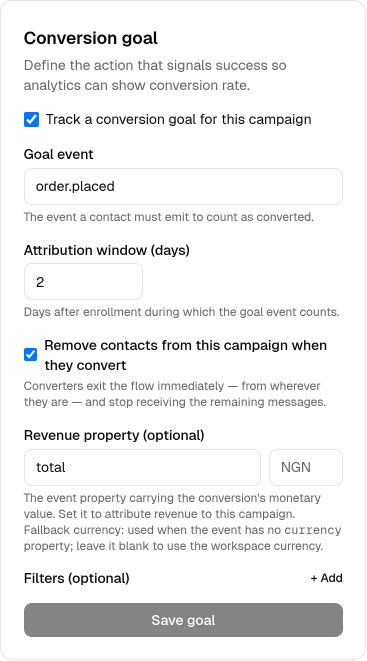
A conversion goal is the event that counts as success for a campaign — for example, a purchase. When contacts enrolled in the campaign perform that event, the conversion is attributed to the campaign and surfaced in analytics, so you can see how effectively the flow drives the outcome you care about.
Topic gating
Topic gating assigns a campaign a Topic. Once gated, only contacts subscribed to that topic receive the campaign's sends, respecting each contact's stated preferences. This keeps your messaging aligned with what people have opted into.
Setting them up
Open the campaign's Settings page. Choose the event that represents your goal, and — if you want to restrict delivery — select the topic to gate the campaign to. Both are optional; leave topic gating unset to send to all enrolled contacts.
Next steps
- Return to the campaigns overview.
- Send the events your goal depends on.
- Manage subscription categories in topics.
- Track conversions in analytics.
Related
Campaigns overview
A campaign is a visual, multi-step flow that enrolls contacts and sends them messages across channels.
Events
Send behavioral events about your contacts to trigger campaigns, gate waits, and power segments.
Topics & preferences
Offer subscription categories so contacts give granular, compliant consent instead of an all-or-nothing unsubscribe.
Analytics
Workspace-wide and per-campaign analytics — delivered, opens, clicks, conversions, bounces, and failures.